Declutter photos: remove clutter from listing photos in about a minute
Paint over the mail, the bins and the toys, and they're gone. No need to be precise: anything you paint over is removed whole, and walls, floors, windows and furniture stay as they were.
- Paint roughly over what to remove, nothing to trace
- Works on counters, floors, driveways, garages and rentals
- 1 credit per photo, first photo free
No credit card · works on phone photos
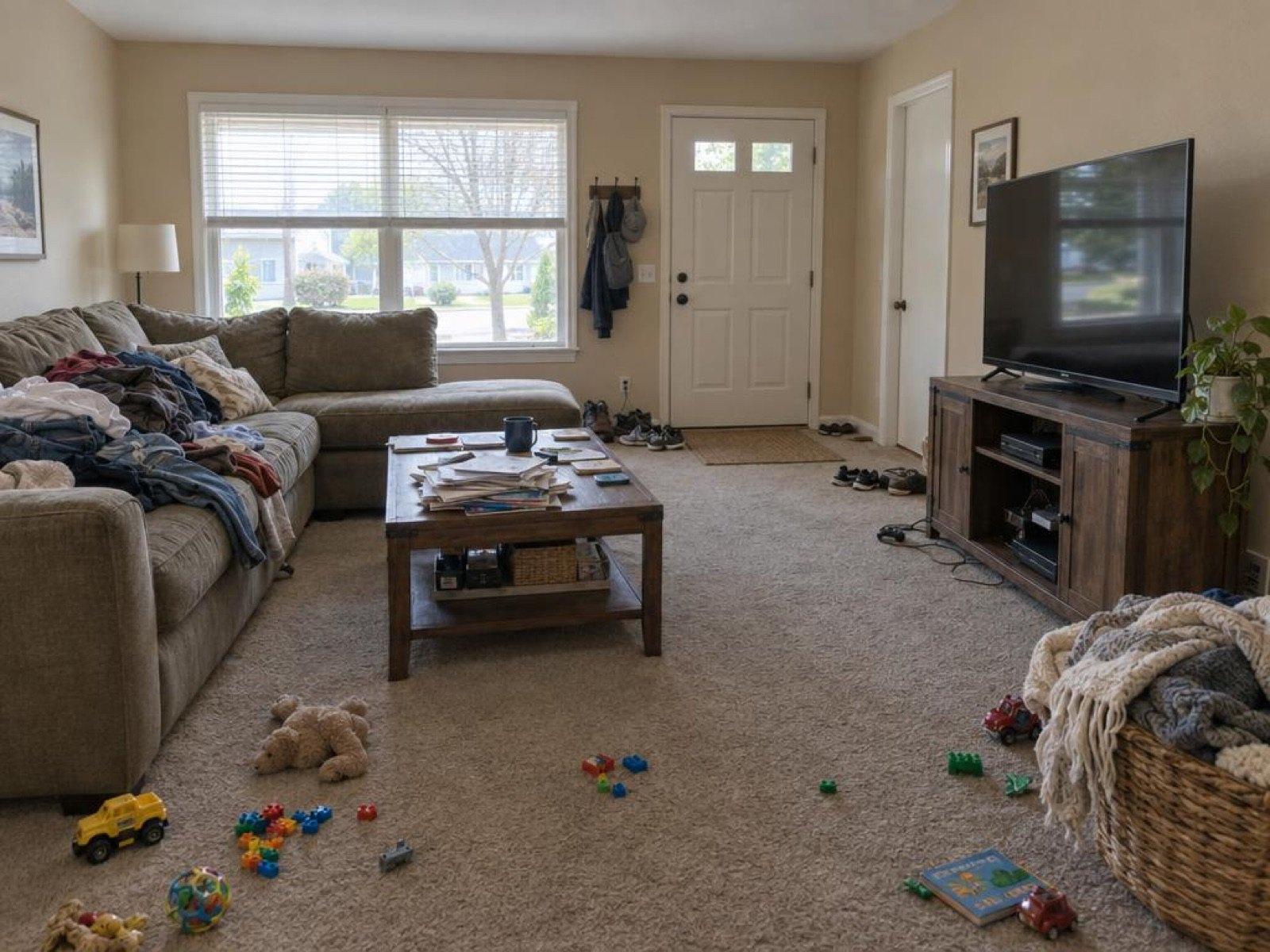
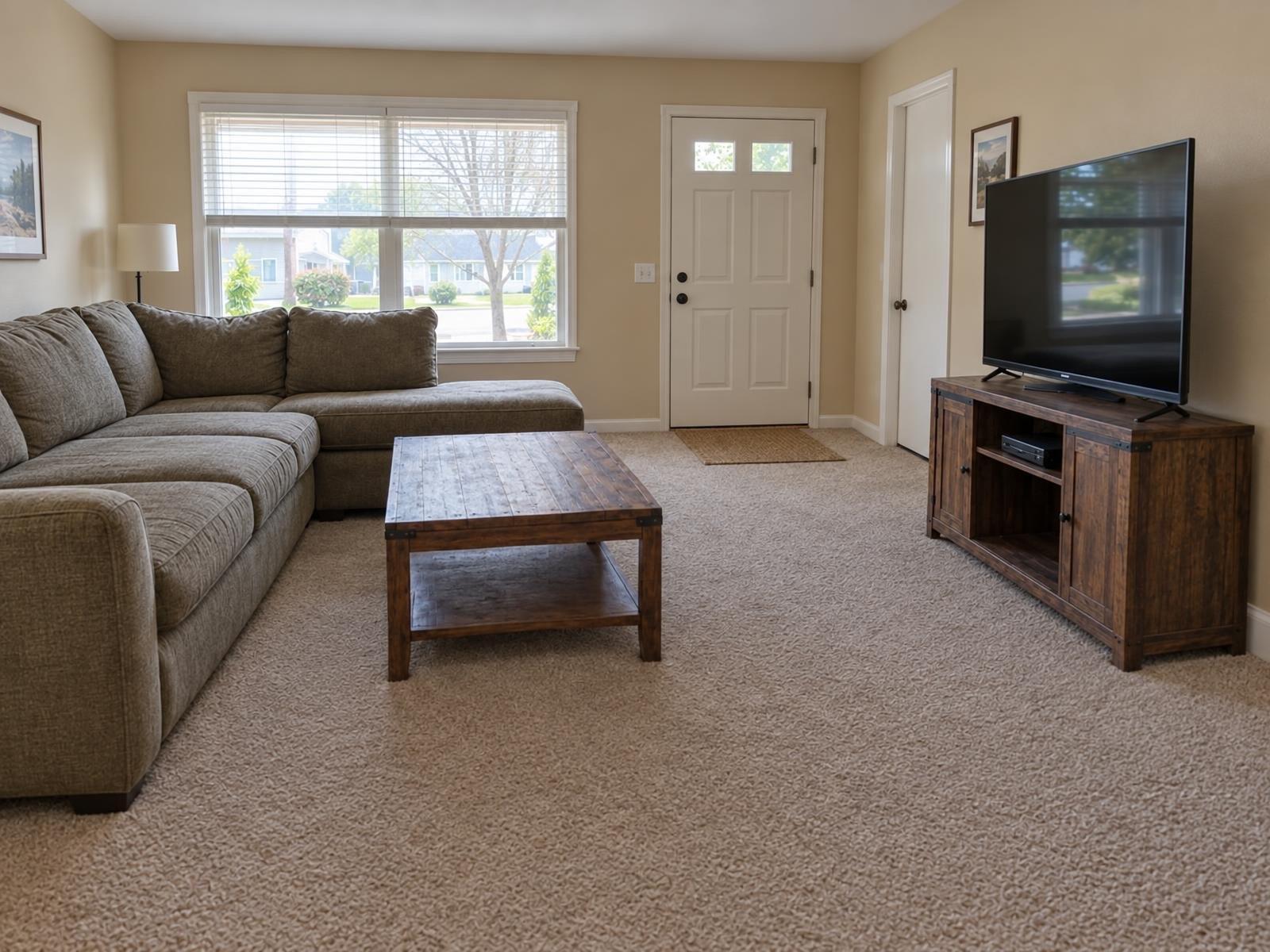
Real Remove Clutter results
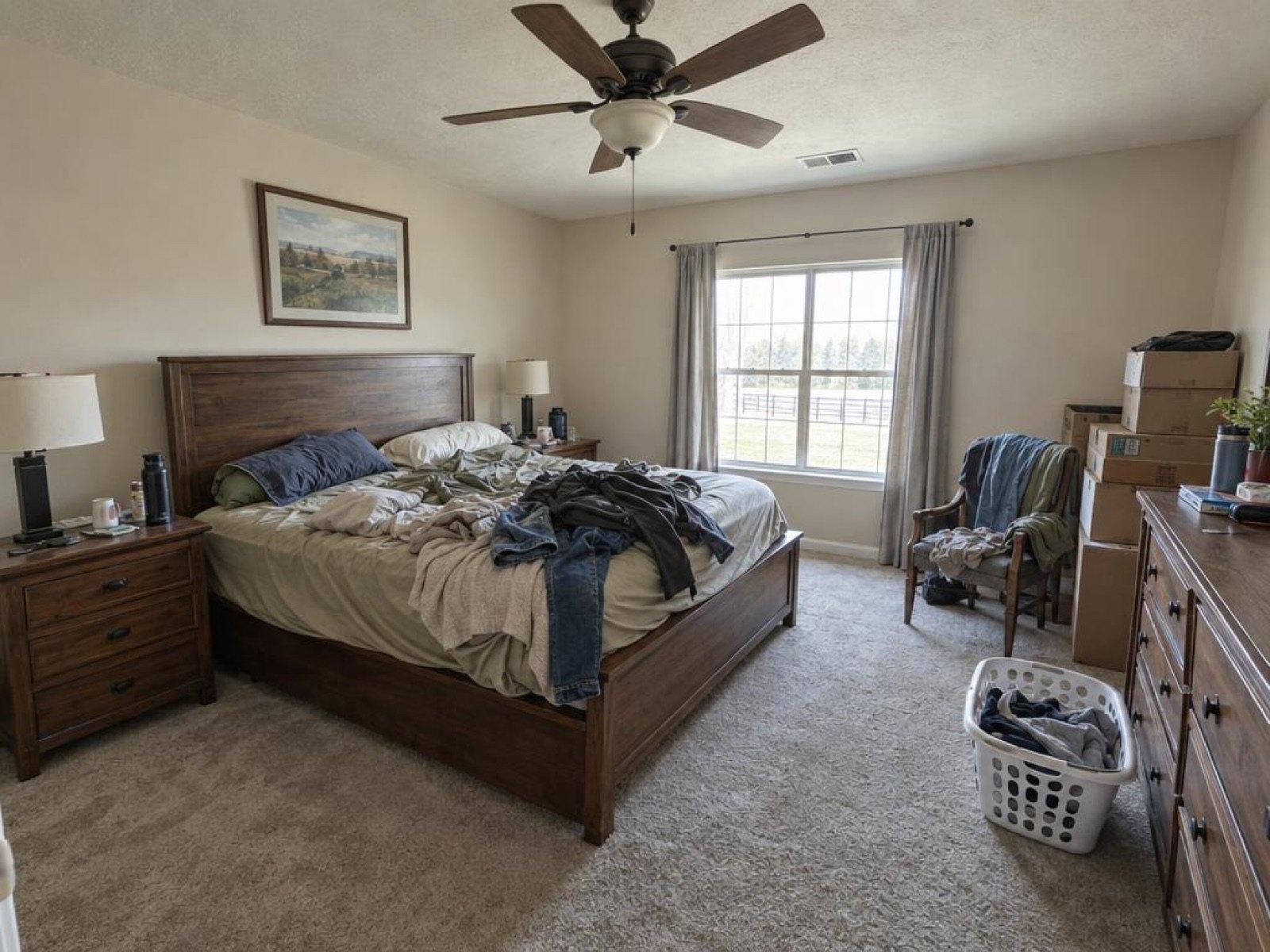
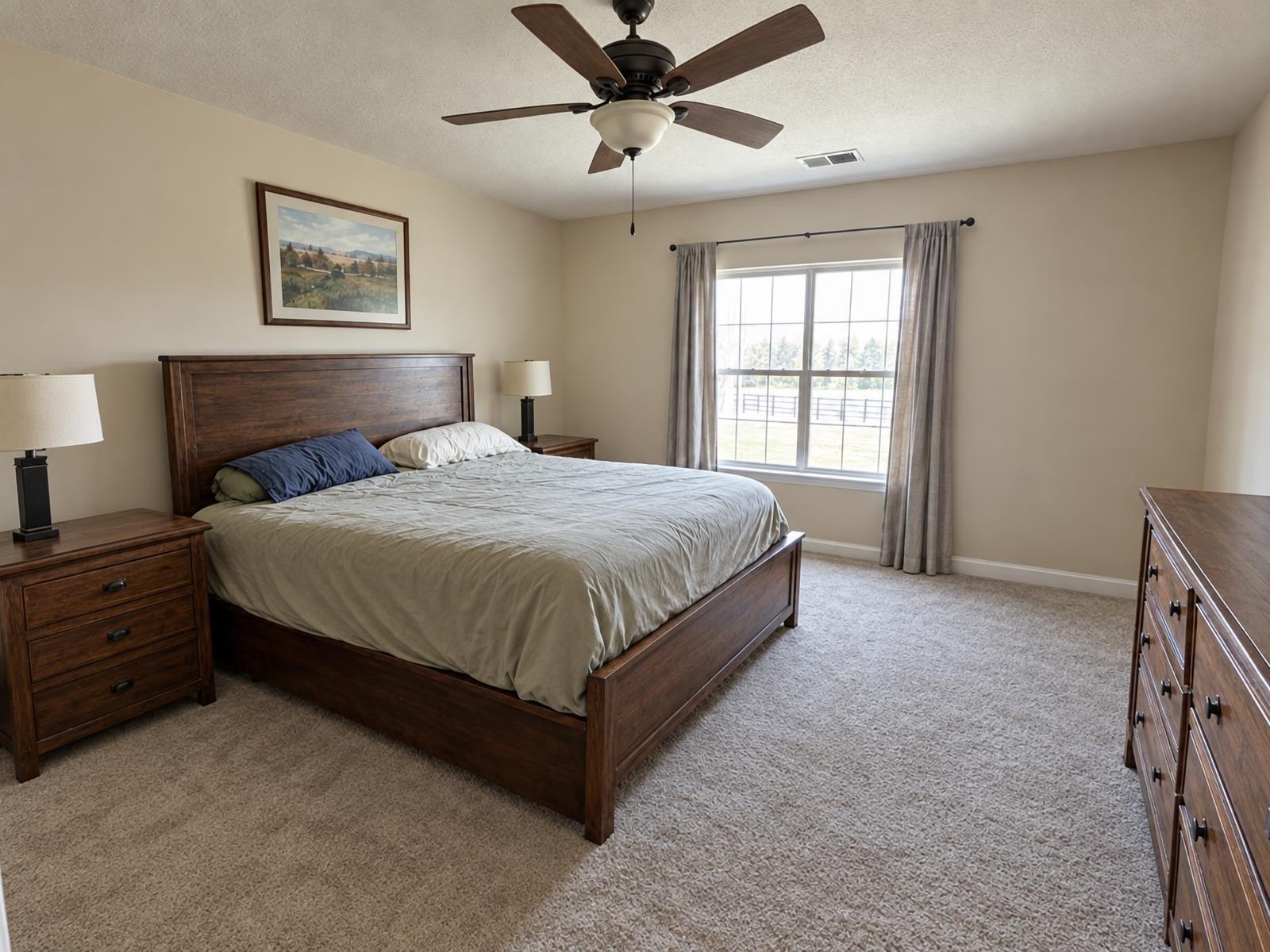
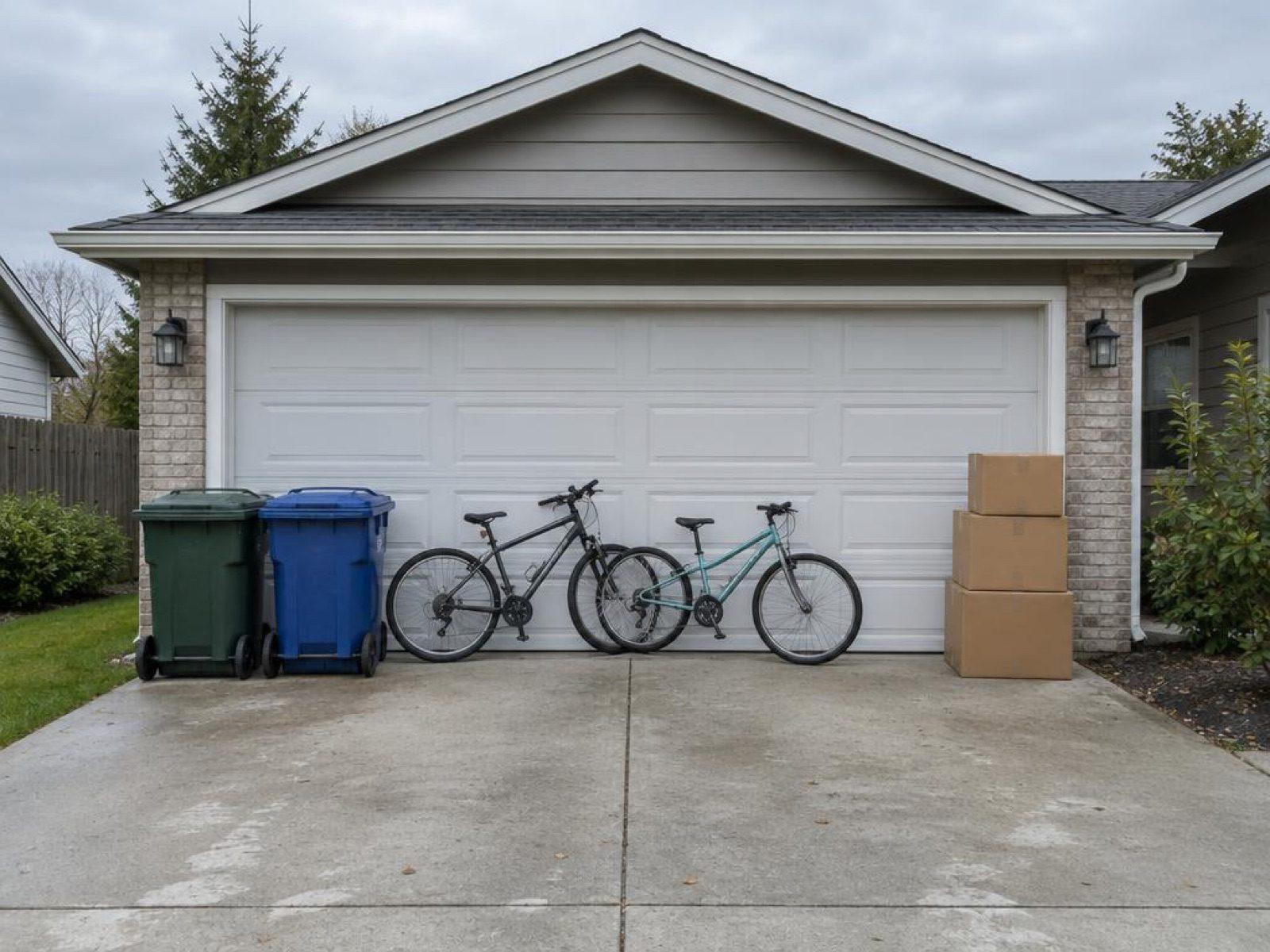
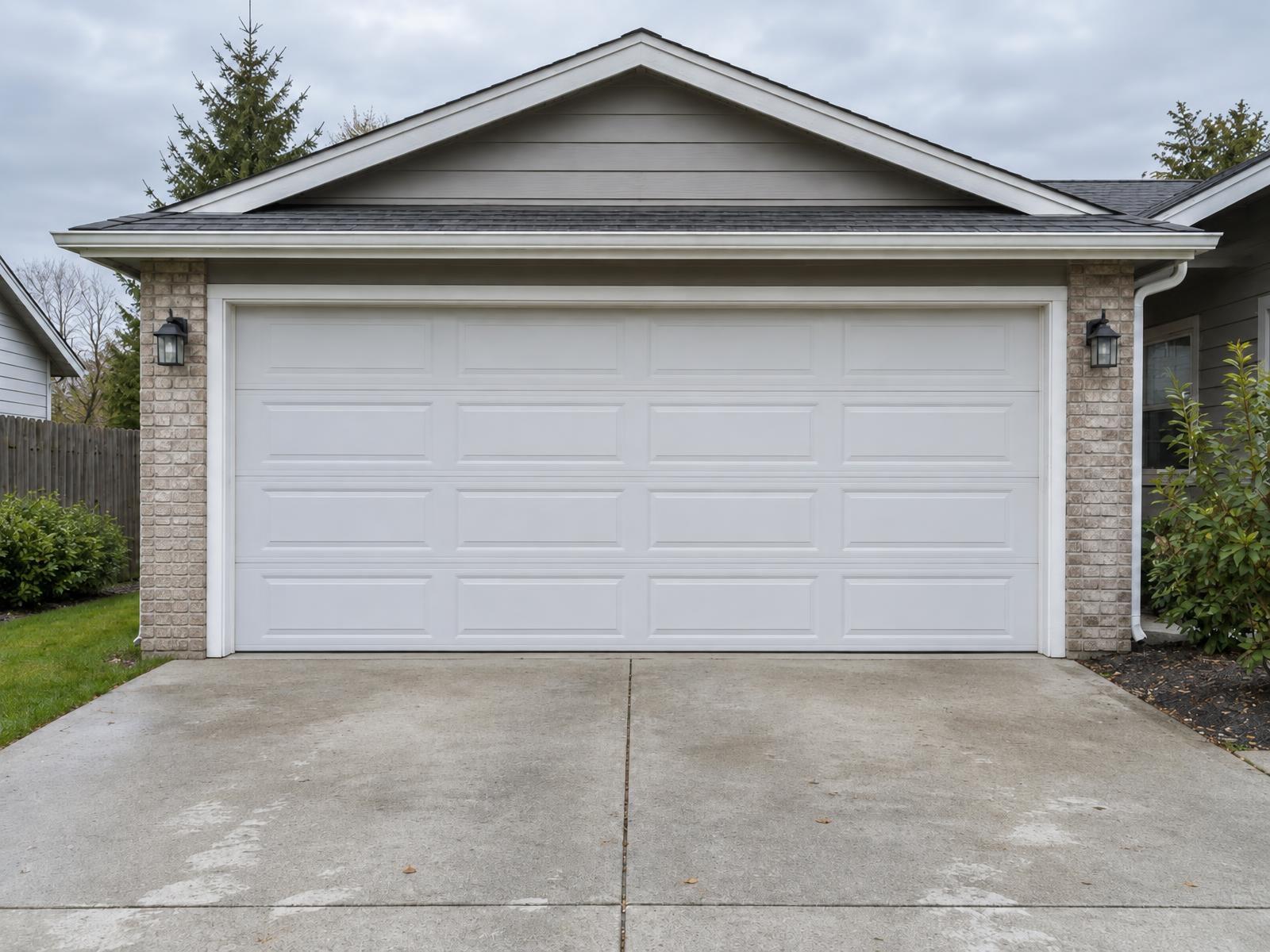
Same room, same furniture. Just tidier.
Every pair below is one photo, painted over once and run through Remove Clutter. The structure of the room is unchanged.
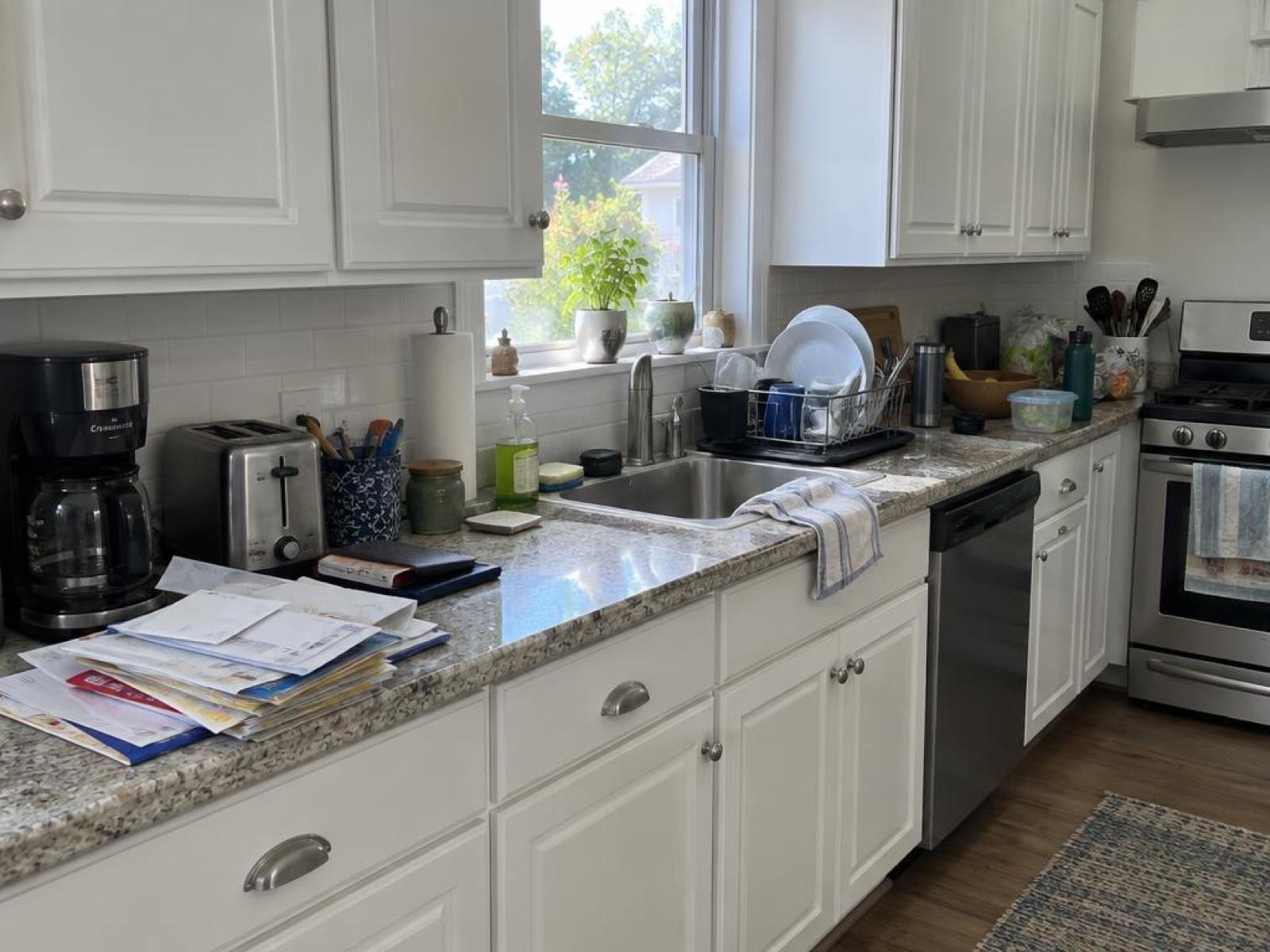
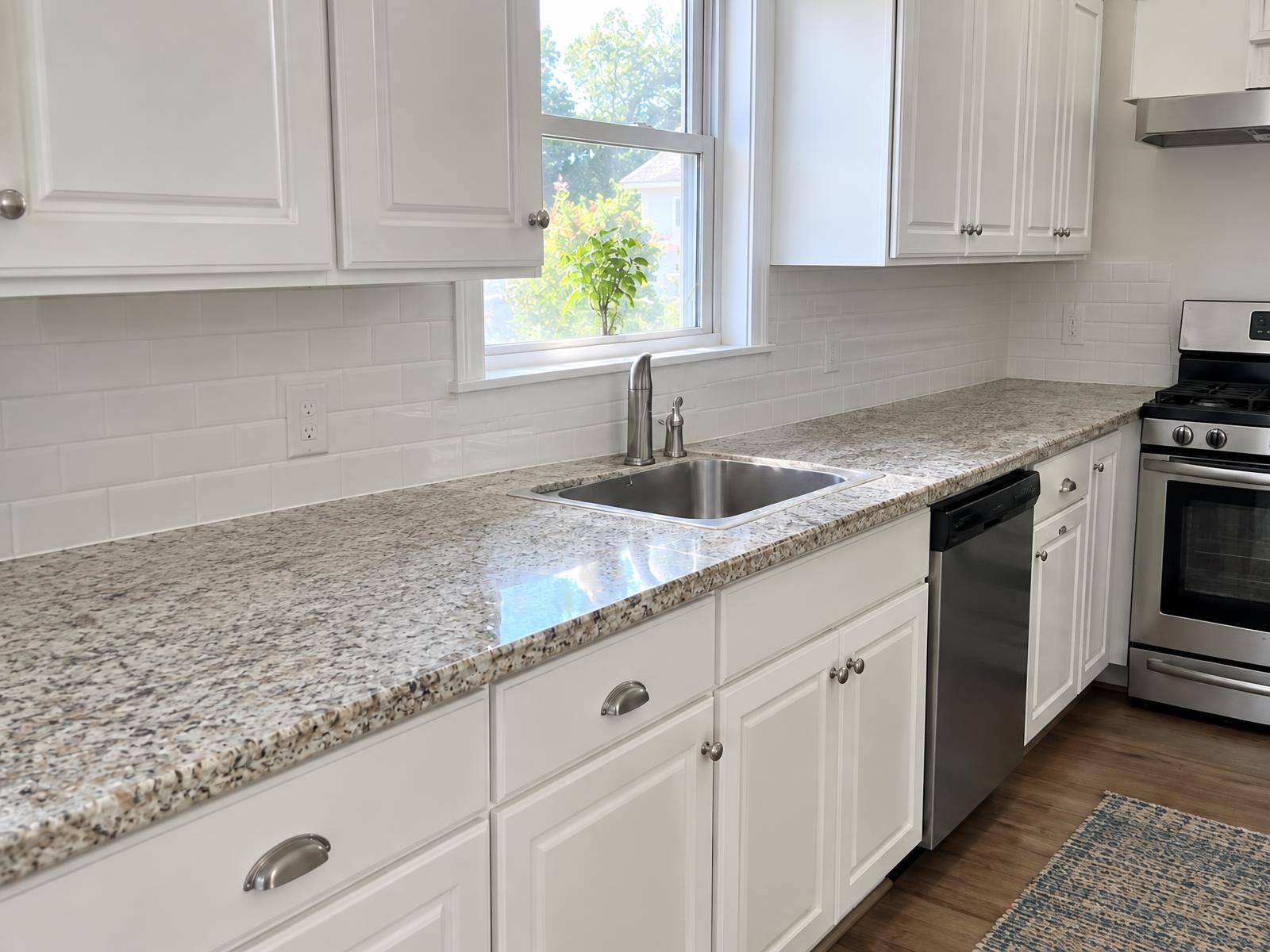
How it works
How to declutter a photo in three steps
- 1
Upload the photo
Any listing photo where something in the frame shouldn't be there.
- 2
Paint over the clutter
Paint over the mail, bins, cables or bags you want gone. A rough stroke is enough: anything you paint over is removed whole.
- 3
Download the clean photo
Stagey returns the complete photo, ready for the listing. Run it again if something was missed.
It removes what you paint over, and keeps the room
Remove Clutter is built for small, loose objects, not for redesigning the room.
Good at removing
- Mail, papers and small items on a counter
- Shoes, clothes, bags and toys on a floor
- Bins, bikes, boxes and hoses in a garage or driveway
- Cables, remotes and clutter on a shelf
- Toys, a stroller or a laundry basket in a rental
Not built for
- A sofa, bed or dining table (use Remove Furniture)
- Changing wall colour, flooring or fixtures
- Staging an empty room (use Stage a Room)
- Anything structural: walls, windows, doors, cabinets, roofline
For landlords and property managers
Decluttering photos of a tenant-occupied rental
Occupied units rarely photograph well: toys, laundry, mail and family photos fill the frame. Clear what you can at the shoot, then paint out the rest.
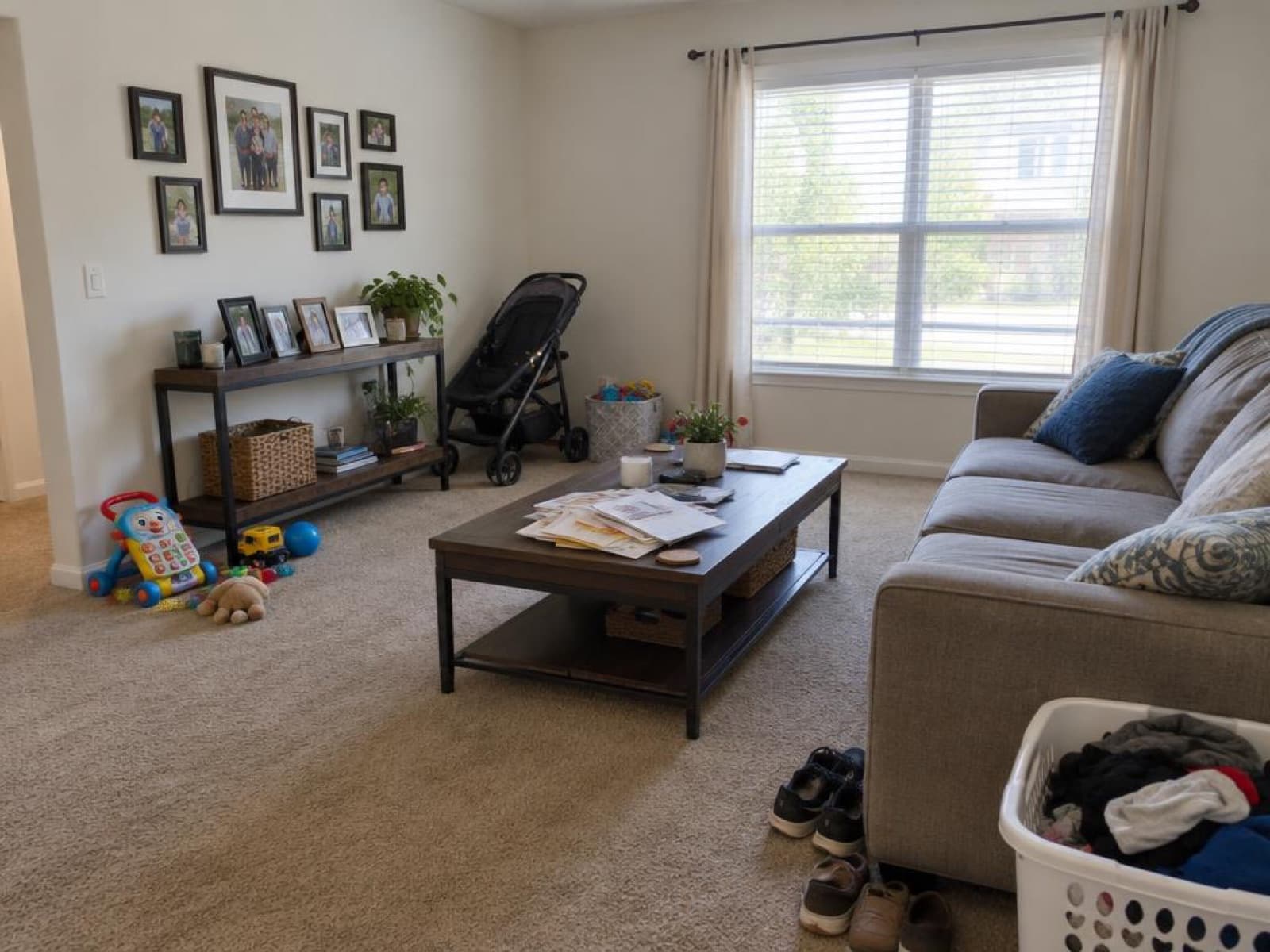
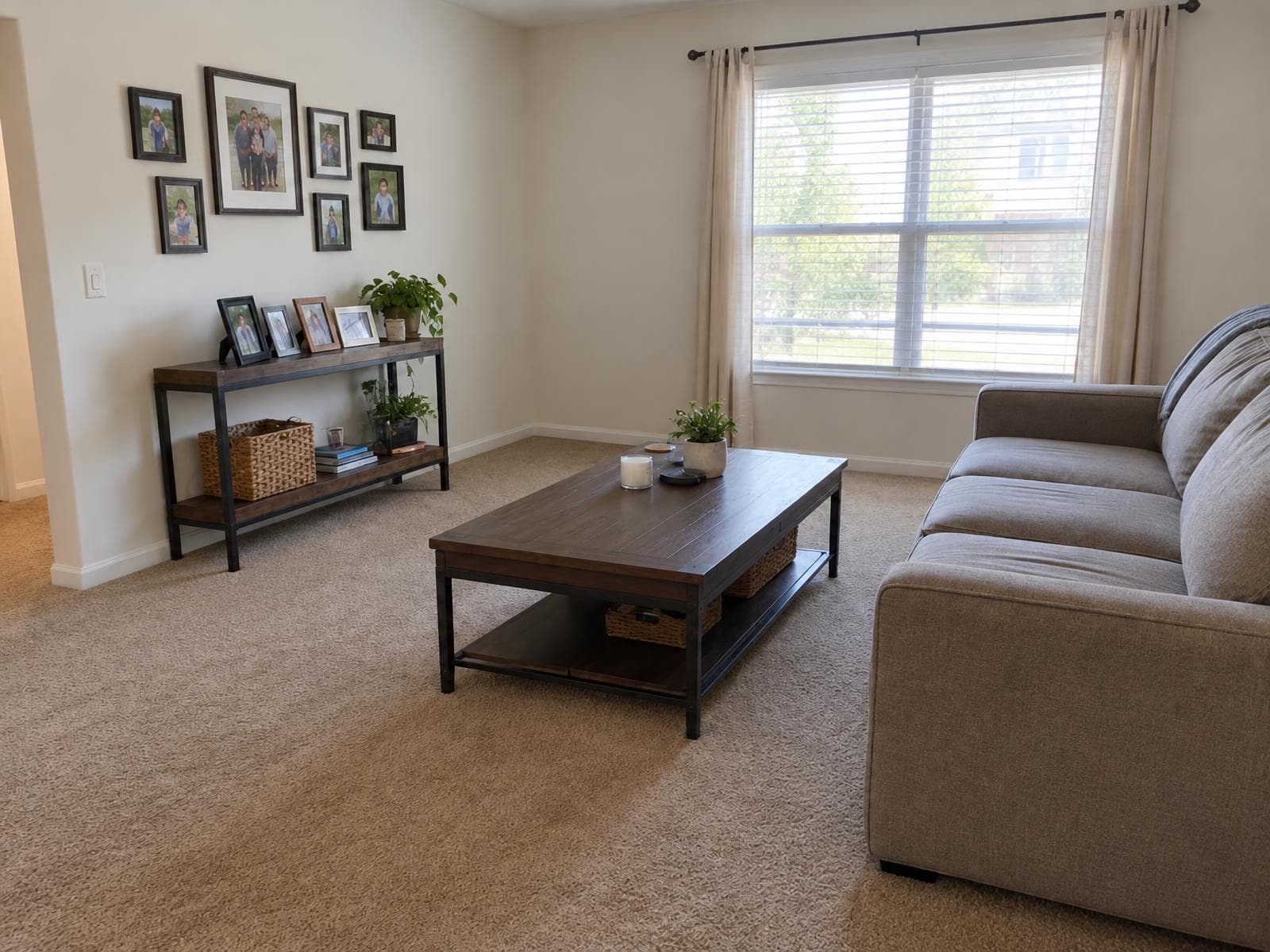
What to clear at the shoot, and what to remove after
Personal items are a privacy question as much as a styling one. Keep them out of the frame where you can.
| Clear at the shoot | Remove after with Remove Clutter |
|---|---|
| Family photos and anything with names or addresses | Toys and a stroller on the floor |
| Mail, documents and bills | Leftover mail on a table, a laundry basket, shoes and bags |
| Children's things you don't want shown | Bins, bikes and boxes outside |
Mail and documents are on both sides on purpose: move them when you can, paint over what is left.
Photos that are bad for other reasons? See what makes real estate photos bad and how to fix them, or how to shoot listing photos with an iPhone.
Who uses it
For the photo that's almost ready
Landlords and property managers
Photograph an occupied unit without waiting for the tenant to move out: clear the personal items, paint out the rest.
Agents
A shoot day that was otherwise good, except for bins by the garage or mail on the counter. Fix it instead of rescheduling.
Photographers
Skip the on-site tidy-up and the manual clone-stamp pass in a photo editor, photo by photo.
Selling privately
Took the photos before you'd finished tidying? Paint out what's left in the frame before you list.
Price per photo
Cheaper than a second visit
Pay as you go. Credits never tie you to a subscription.
Remove Clutter on Stagey
$1.04–$1.20
1 credit per photo · credits from $1.04 to $1.20 each · about a minute
See all prices →Reshoot after tidying
A second visit
Go back, tidy the room and reshoot the same angle
Edit it yourself
Your time
Clone-stamp out every item by hand in a photo editor, photo by photo
Questions people ask
How do I declutter photos of a listing?
Upload the photo and paint over each thing you want gone: mail on a counter, bins by a garage, toys on a floor. You don't need to be precise, because anything you paint over is removed whole. Stagey gets the original photo plus your painted copy and returns the complete photo, so walls, windows, doors, floors, cabinets and furniture stay.
Can it remove objects from real estate photos without leaving a mark?
For everyday clutter, yes: papers, toys, bags, bins, bikes, boxes, a stroller. The surface behind each item is rebuilt so the spot looks like it was never occupied. It works best when the surface behind is simple, like carpet, a plain counter or a driveway. Always zoom in on the result before you publish it.
Will it also remove things I didn't paint?
Sometimes. The tool can tidy small loose items right next to something you painted, such as jars beside a painted towel. For a listing photo that is usually welcome, but check the result and run it again if it removed something you wanted to keep.
Can I use it on a tenant-occupied rental?
Yes. Paint over toys, laundry, mail and other loose belongings. Take personal items such as family photos, documents and anything with names or addresses out of the room at the shoot, because the best fix for privacy is to keep them out of the frame. We can't promise every framed photo on a wall is removed (in our own test they stayed), so don't rely on the tool for that.
Is this the same as staging or removing furniture?
No. Remove Clutter takes out small, loose items. Removing a sofa, bed or dining table is a bigger edit, that's the Remove Furniture tool, which can also restyle the emptied room afterward.
Do I have to disclose a decluttered photo?
Often, yes. Some MLS boards treat removing objects as altering the photo: CRMLS in California requires a label such as "digitally altered" and the original photo in the listing. Rules differ by board, so check yours. Our disclosure guide covers what to label and how.
How much does it cost?
1 credit per photo. New accounts get 4 free credits with no credit card, so the first photo is free.
More for your listing photos

Tool
Remove Furniture
Empty a furnished room, or empty it and stage it fresh in one pass.
Read →
Guide
Real estate photos with an iPhone
Settings and angles for listing photos on a phone, and how to fix the usual problems.
Read →
Guide
Bad real estate photos
What makes a listing photo look bad, and which problems you can fix after the shoot.
Read →Declutter your first photo free
Upload one cluttered photo and see it cleared in about a minute.
4 free credits · no credit card