Free virtual staging: 2 rooms, no watermark, no card
New accounts get 4 free credits. A staged room costs 2, so your first 2 empty rooms are staged free, up to 4 variants each, and downloaded at MLS size with no watermark.
- 2 rooms free, up to 4 variants each
- Full MLS-size download, no watermark
- No credit card, no subscription
Email signup · no credit card
What the free tiers actually give you
Most AI staging tools have a free option. The difference is what you can do with the result. Several give you more free tries than we do, but the downloads are watermarked or low resolution, so they're for testing, not for a listing.
| Tool | Free offer | Free downloads | Credit card |
|---|---|---|---|
| Stagey | 4 credits = 2 staged rooms, up to 4 variants each | MLS size (2048 px), no watermark | Not needed |
| StagerAI | 10 renders | Low resolution, watermarked | Not needed |
| Staging Wizard | 10 credits + 1 video clip | Watermarked | Not needed |
| Pedra | 7 credits + 1 video + 1 virtual tour | Not stated | Not needed |
| Collov AI | 5 trial images | Watermarked | Not stated |
| REimagine Home | 5 designs | Not stated | Not needed |
| RoomStage | 1 listing photo | Low resolution | Not needed |
| Apply Design | First image free | Not stated | Not stated |
From each vendor's own pricing page on 23 Oct 2026: stagerai.com/pricing, stagingwizard.com/pricing, pedra.ai/pricing, collov.ai/pricing, reimaginehome.ai/pricing, roomstage.ai/pricing, applydesign.io/pricing. Free offers change often; check before you sign up.
If you want to compare paid plans as well, our virtual staging software comparison puts price per photo, turnaround and extras side by side.
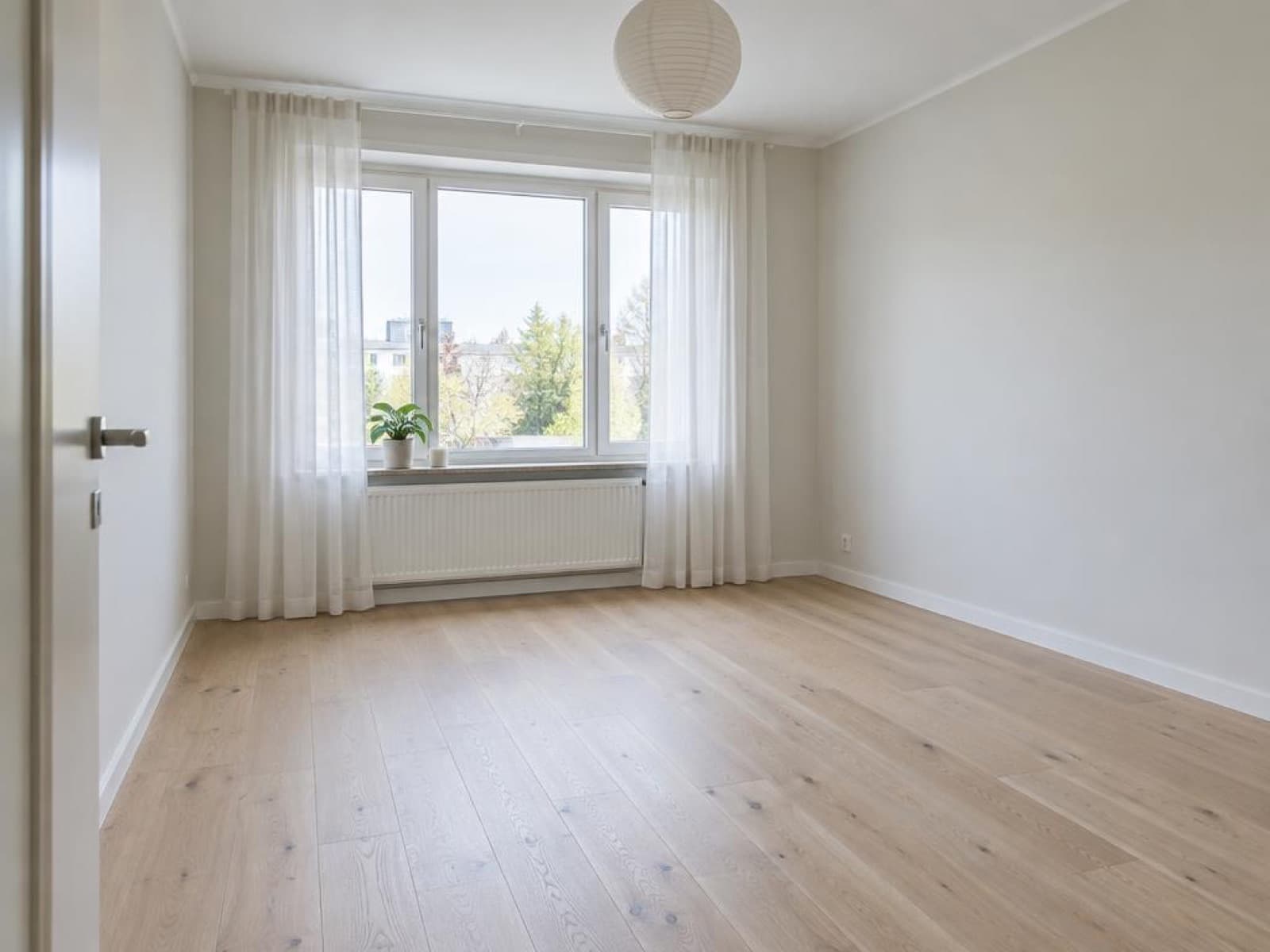
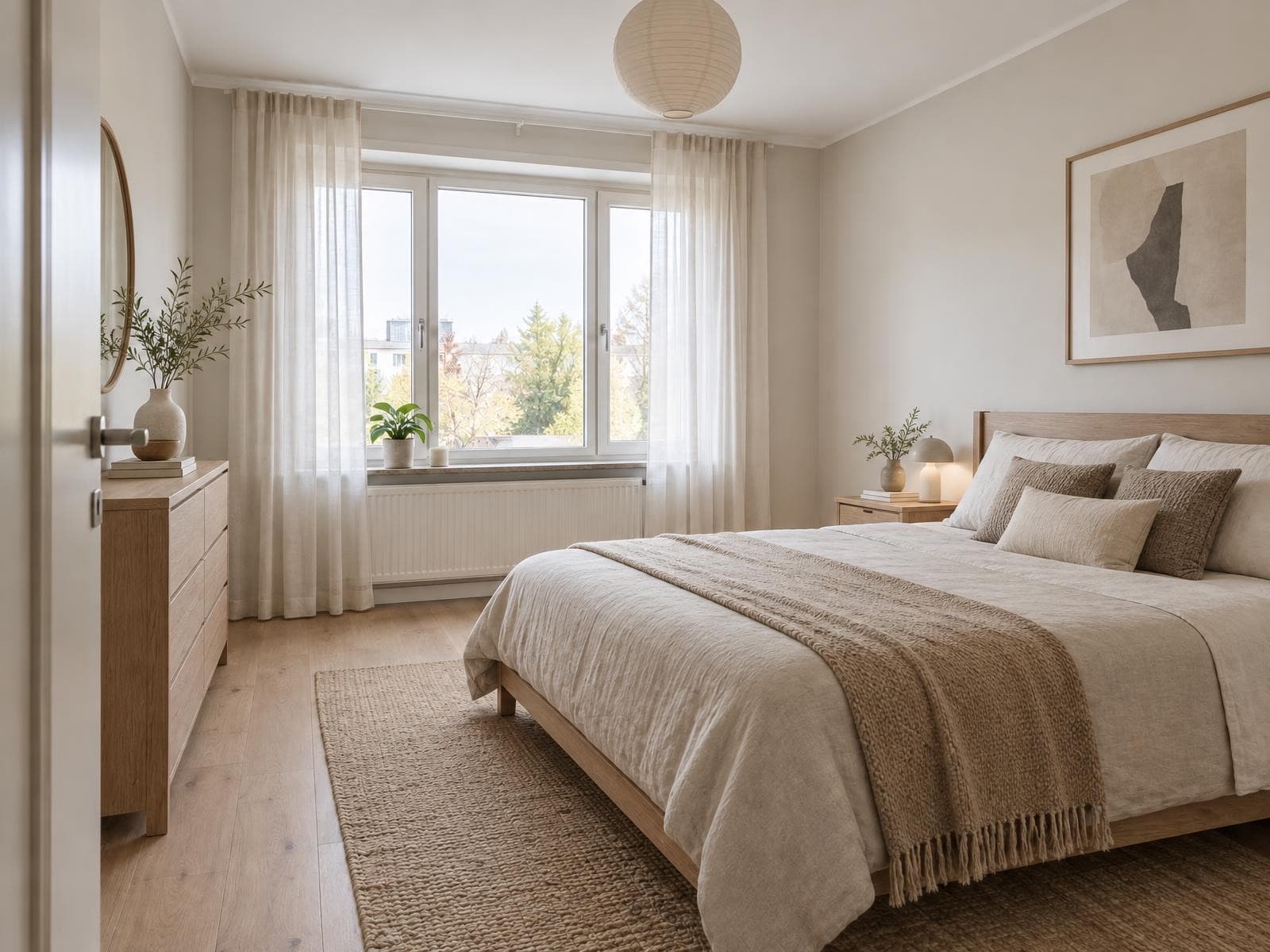
What the free credits make
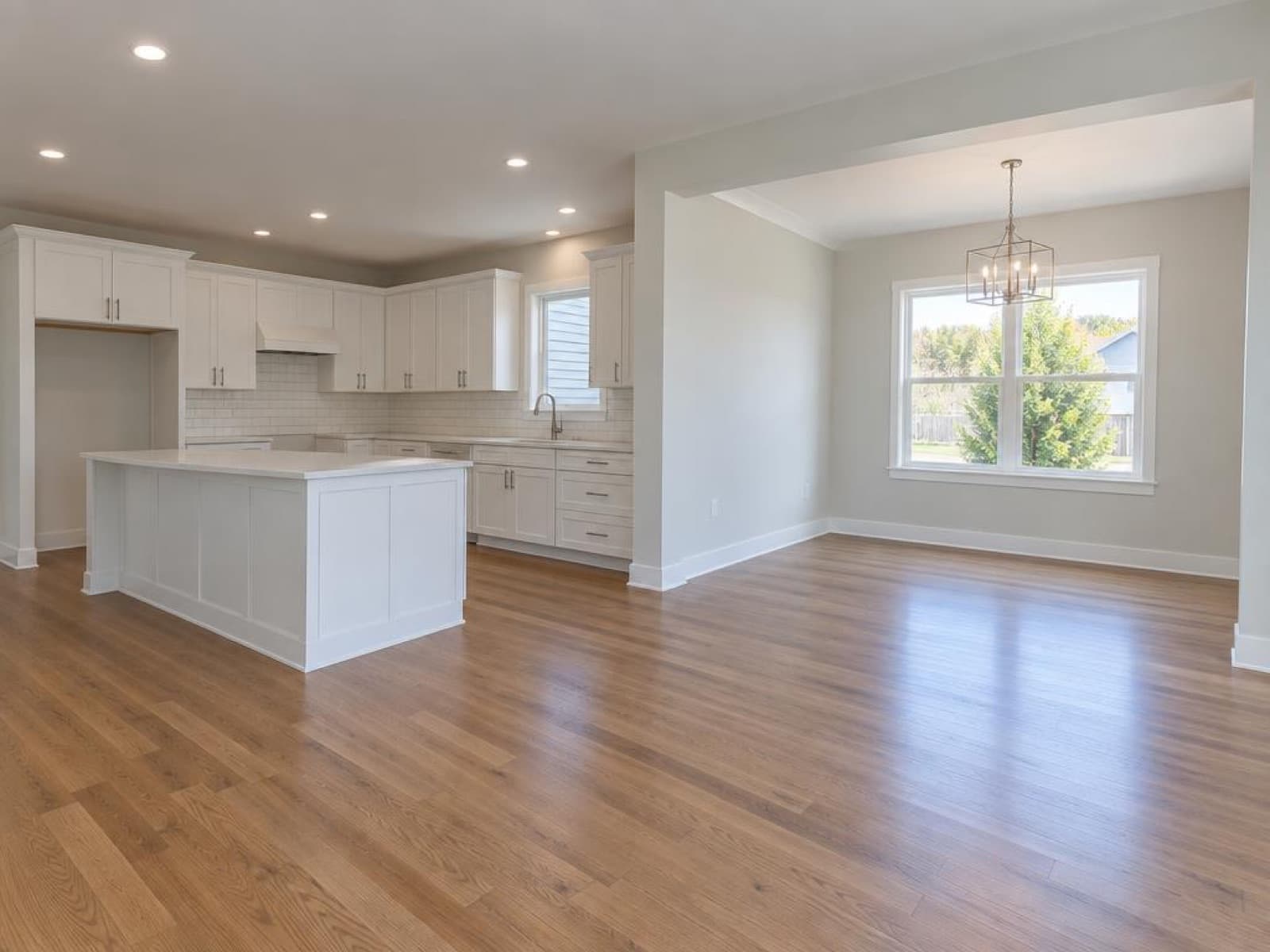
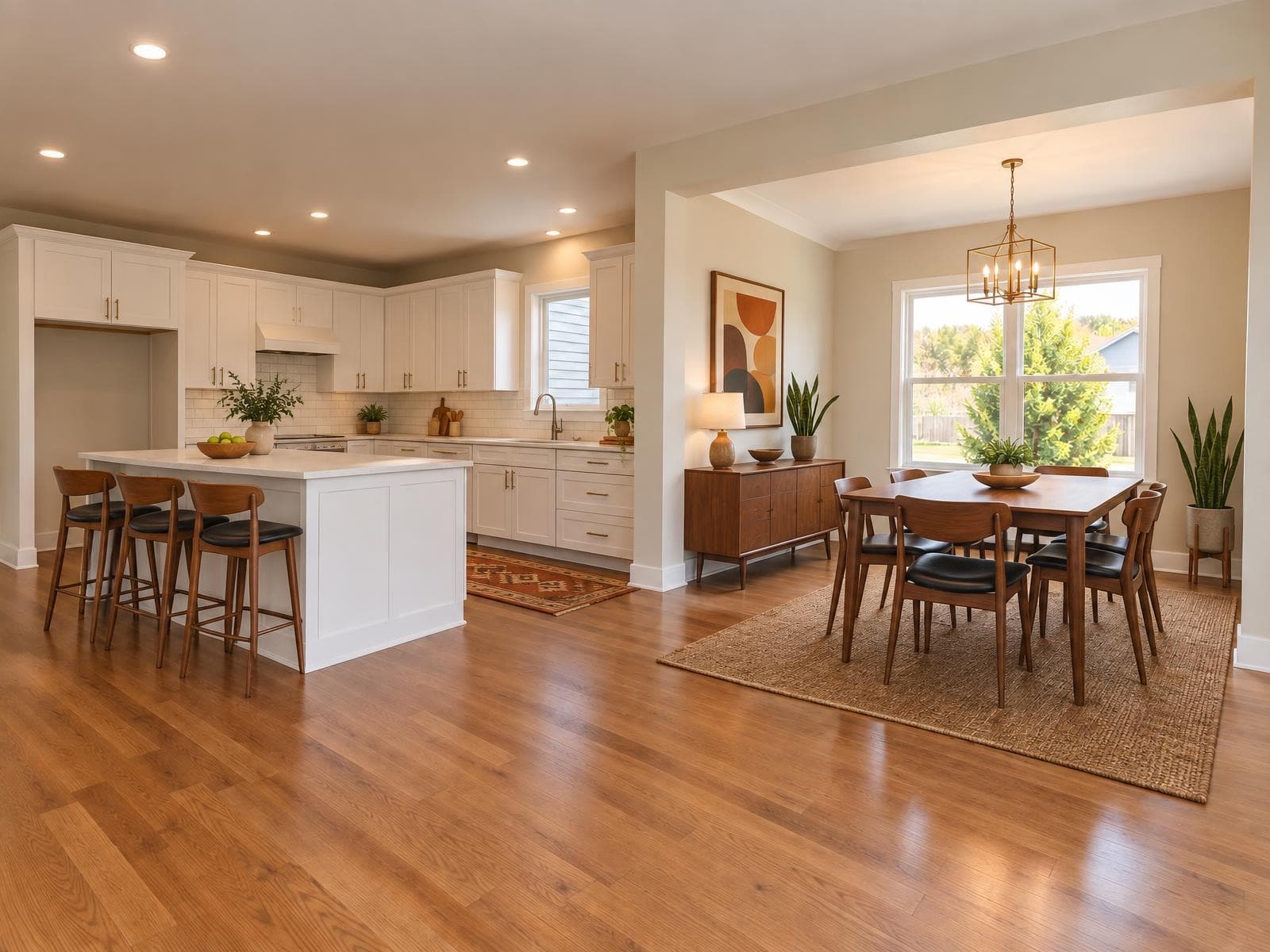
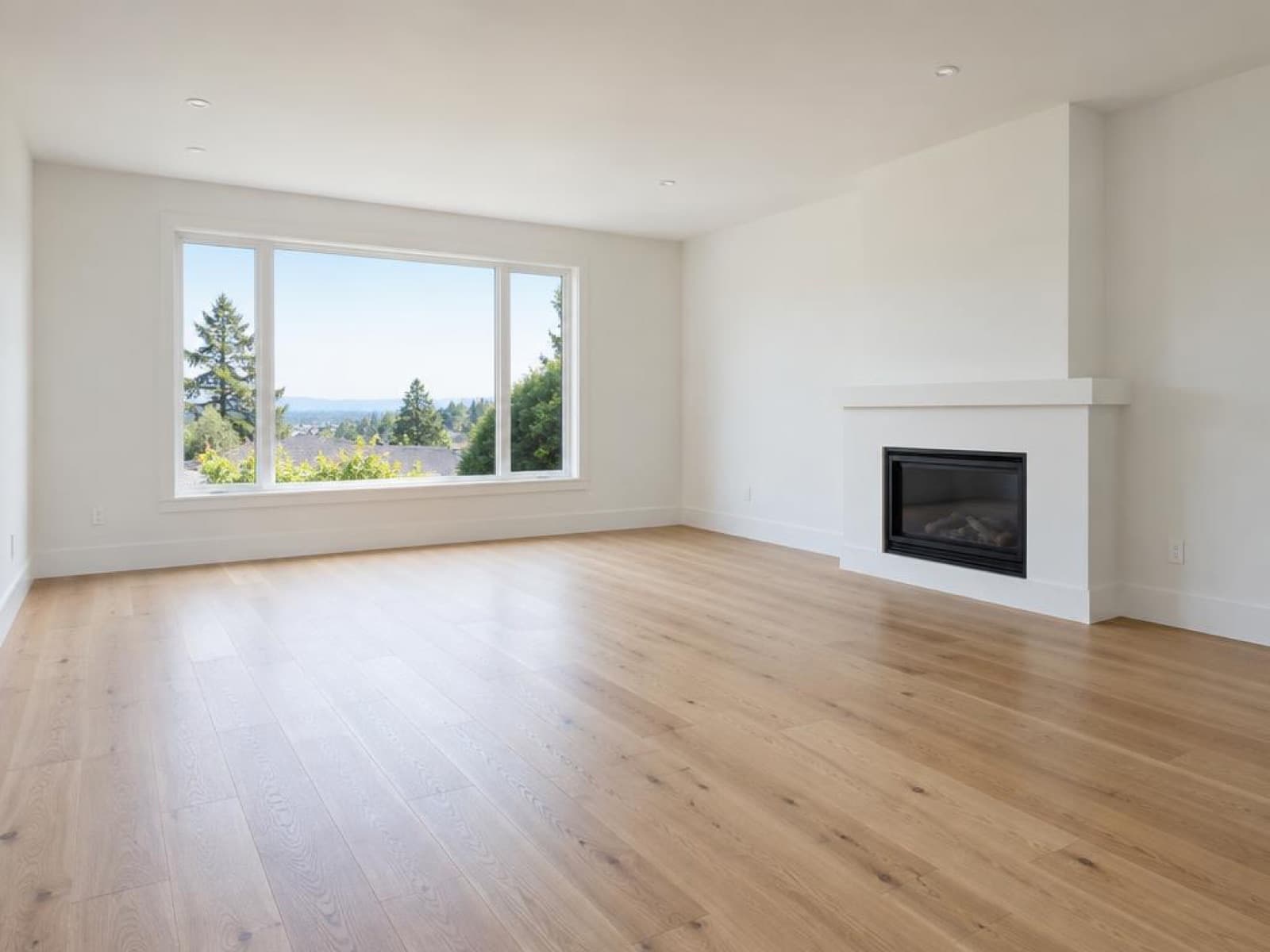
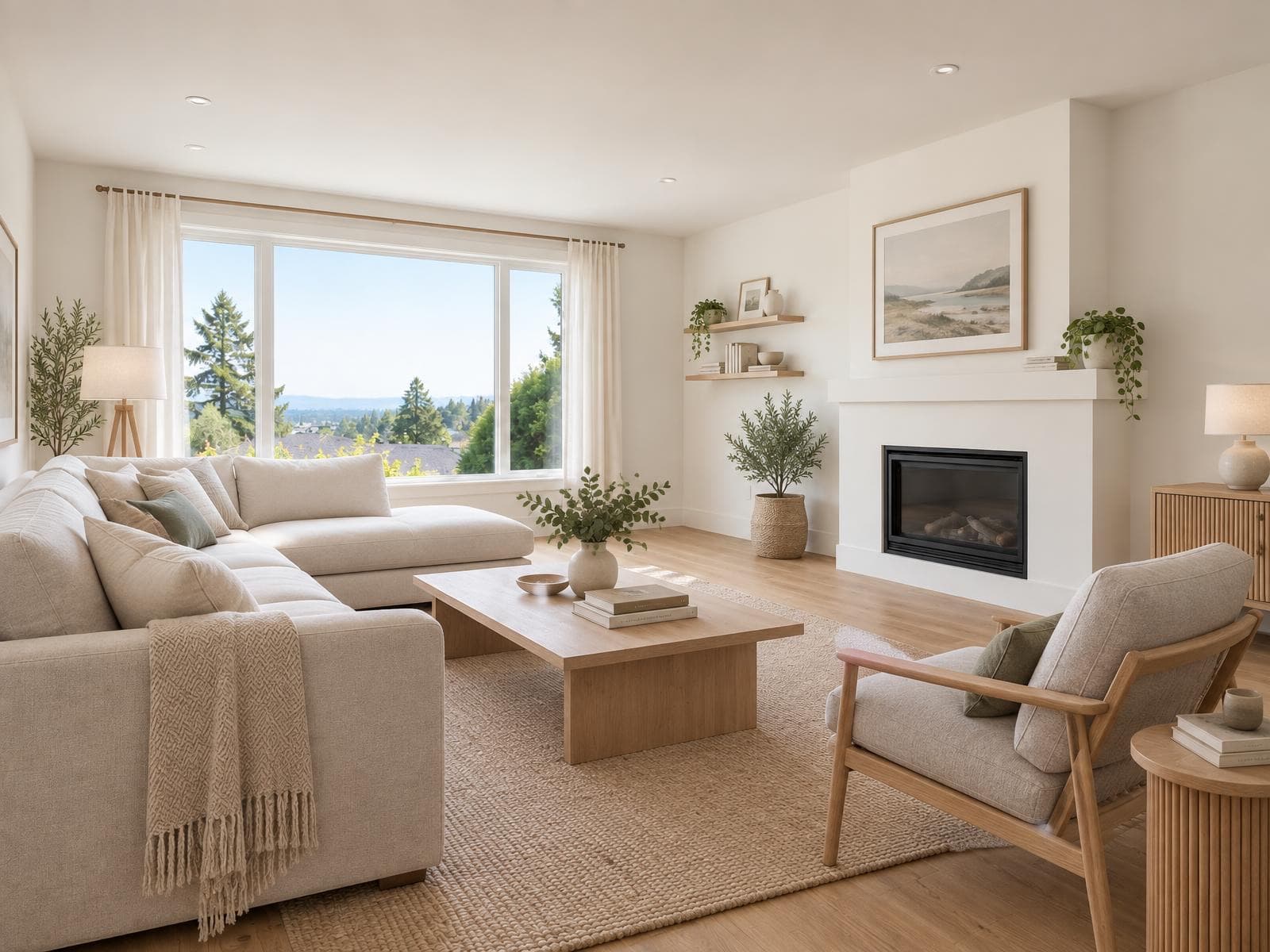
Two empty rooms, staged free
Each pair is one run of Stagey's virtual staging, the same model and settings the free credits use. Walls, windows and floors stay as shot.
How it works
How to get your free virtual staging
About five minutes from signup to two staged rooms.
- 1
Sign up with your email
Confirm it with the code we send. No credit card, and the free credits are in your account straight away.
- 2
Upload an empty room
A level, well-lit photo of an empty room, from a camera or a phone. Pick the room type and a style.
- 3
Pick a variant and download
Compare up to 4 variants, keep the best, and download it at MLS size.
Five ways to get the most from free virtual staging
Two rooms go quickly. These choices decide whether they end up in the listing.
- Stage the living room firstIt's usually the first interior photo in a listing and the one most worth furnishing.
- Use a wide, level photo with the lights onStraight verticals and an even exposure give the furniture a clean room to sit in.
- Start from an empty roomStaging needs an empty or cleared room. If it's still furnished, Remove Furniture empties it first for 1 credit.
- Compare the variants before re-runningEach render already gives up to 4 options, so pick from those before spending more credits.
- Label it before you publishSwitch on the “Virtually staged” caption at download, or add it to the listing text.
The disclosure guide has the MLS and portal rules plus disclaimer wording you can copy.
Price per photo
When the free rooms run out
Buy a credit pack when you need more. Packs don't renew and last 12 months, so there's no subscription to cancel.
Virtual staging on Stagey
$2.08–$2.40
2 credits per photo · credits from $1.04 to $1.20 each · about a minute
See all prices →Human virtual staging
$75–150 per photo
Commonly quoted, 24–48 hour turnaround
Physical staging
$2,000–5,000 per property
(typical metro)
Questions people ask
Is there really free virtual staging with no watermark?
Yes. New Stagey accounts get 4 free credits and staging costs 2 per room, so 2 rooms are free. The download is the same file paying customers get: a JPEG at MLS size (long edge 2048 px), no watermark. The only label is an optional "Virtually staged" caption you can switch on yourself.
Do I need a credit card?
No. You sign up with an email address and confirm it with a code. No card, no trial that turns into a subscription. You only pay if you buy a credit pack or plan later.
How long do the free credits last?
30 days from signup. Stage your rooms within that window; paid credits from packs last 12 months.
Is there a free virtual staging app?
Stagey runs in the browser on a phone, tablet or computer, so there's nothing to install. Upload a photo straight from your camera roll, stage it, and download it back to the phone.
Can I use free virtual staging photos on the MLS or Zillow?
Yes, as long as you disclose them. Label the photo "Virtually staged" and keep the unedited photo in the listing if your MLS asks for it. Free and paid results are the same file, so the same rules apply.
Is free virtual staging any good?
It depends on the tool. Many free tiers are fine for testing but watermarked or low resolution, so you can't publish them. On Stagey the free rooms use the same model and settings as paid ones, up to 4 variants per room, so you can judge the real result before paying anything.
More on virtual staging
Tool
Virtual staging
Styles, room types and how the staging tool works, with more before-and-afters.
Read →Guide
Best virtual staging software
Eight AI staging tools compared on price per photo, turnaround and free trials.
Read →Guide
Virtual staging disclosure rules
Is it legal, and what to write in the listing so a staged photo is never a surprise.
Read →Stage two rooms free
Upload an empty room and see it furnished in about a minute. No card, no watermark.
4 free credits · no credit card