Sky replacement for listing photos, in about a minute
Swap a grey sky for a clear one on any daytime exterior. Unlike a pasted-in sky, Stagey relights the lawn, walls and windows to match, and the house stays exactly as shot.
- Built for listing photos: the property doesn't change
- Four sky presets, from sunny blue to soft bright overcast
- 1 credit per photo, first photo free
No credit card · works on phone photos
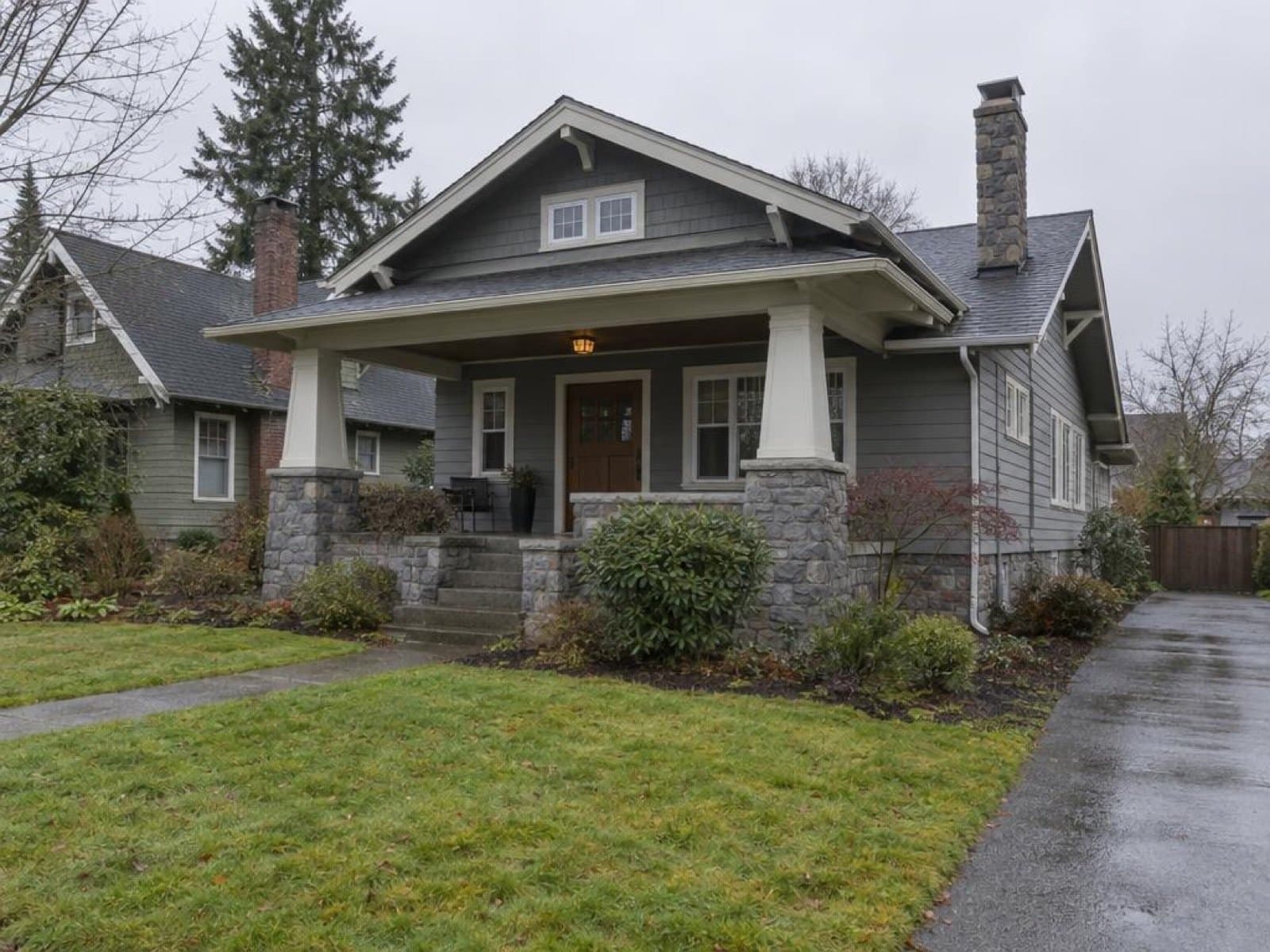
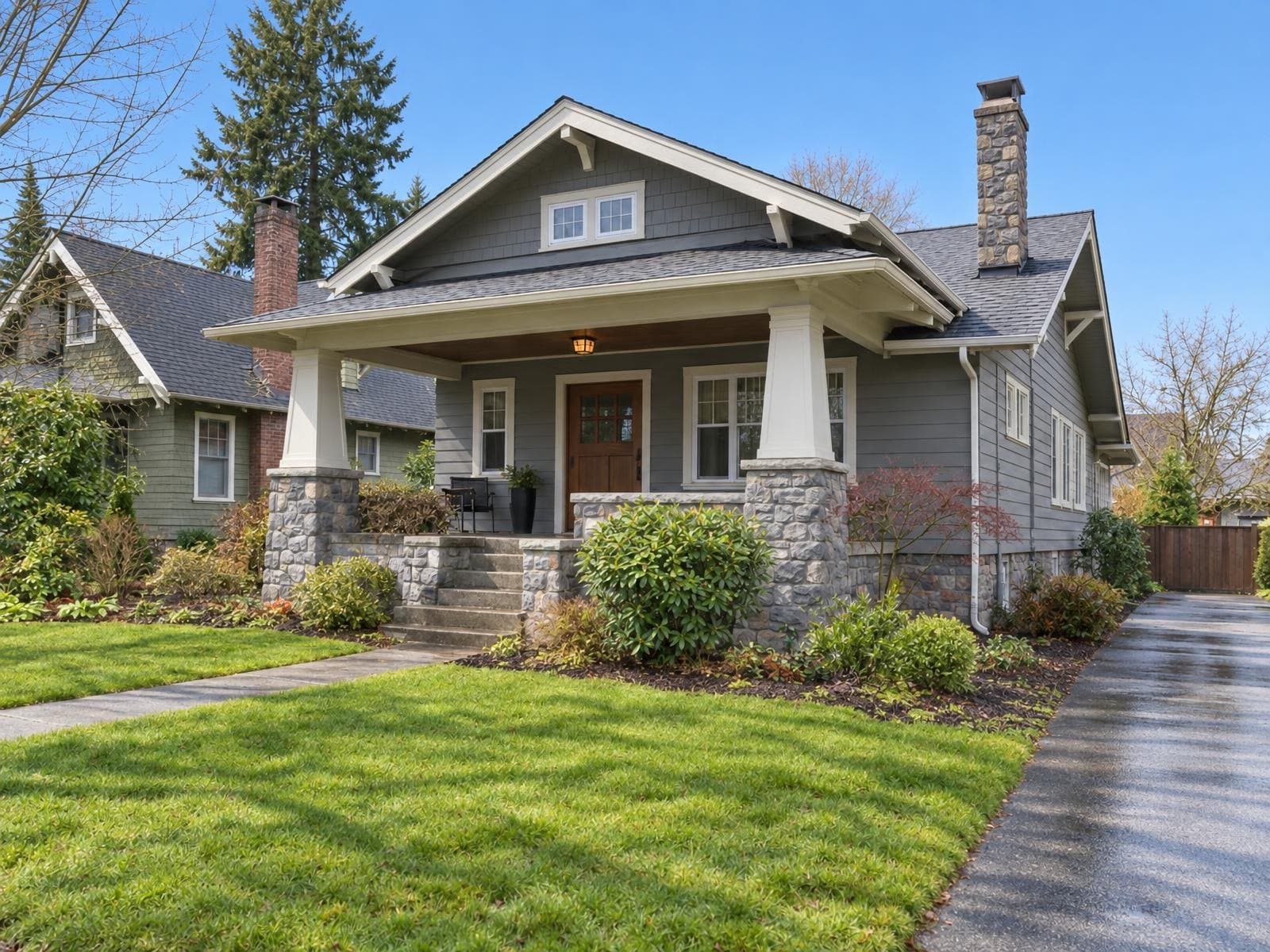
Real Sky Fix results
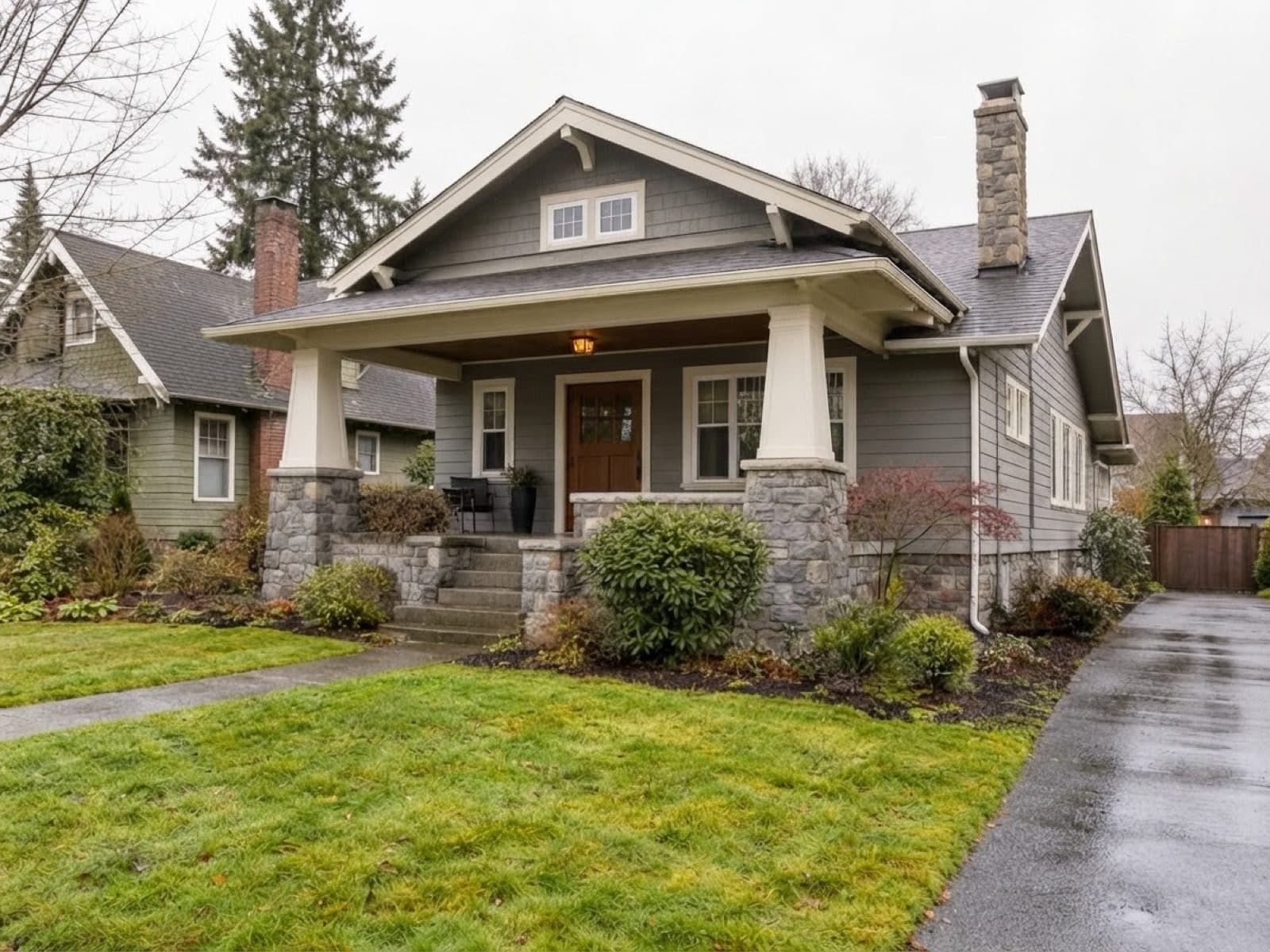
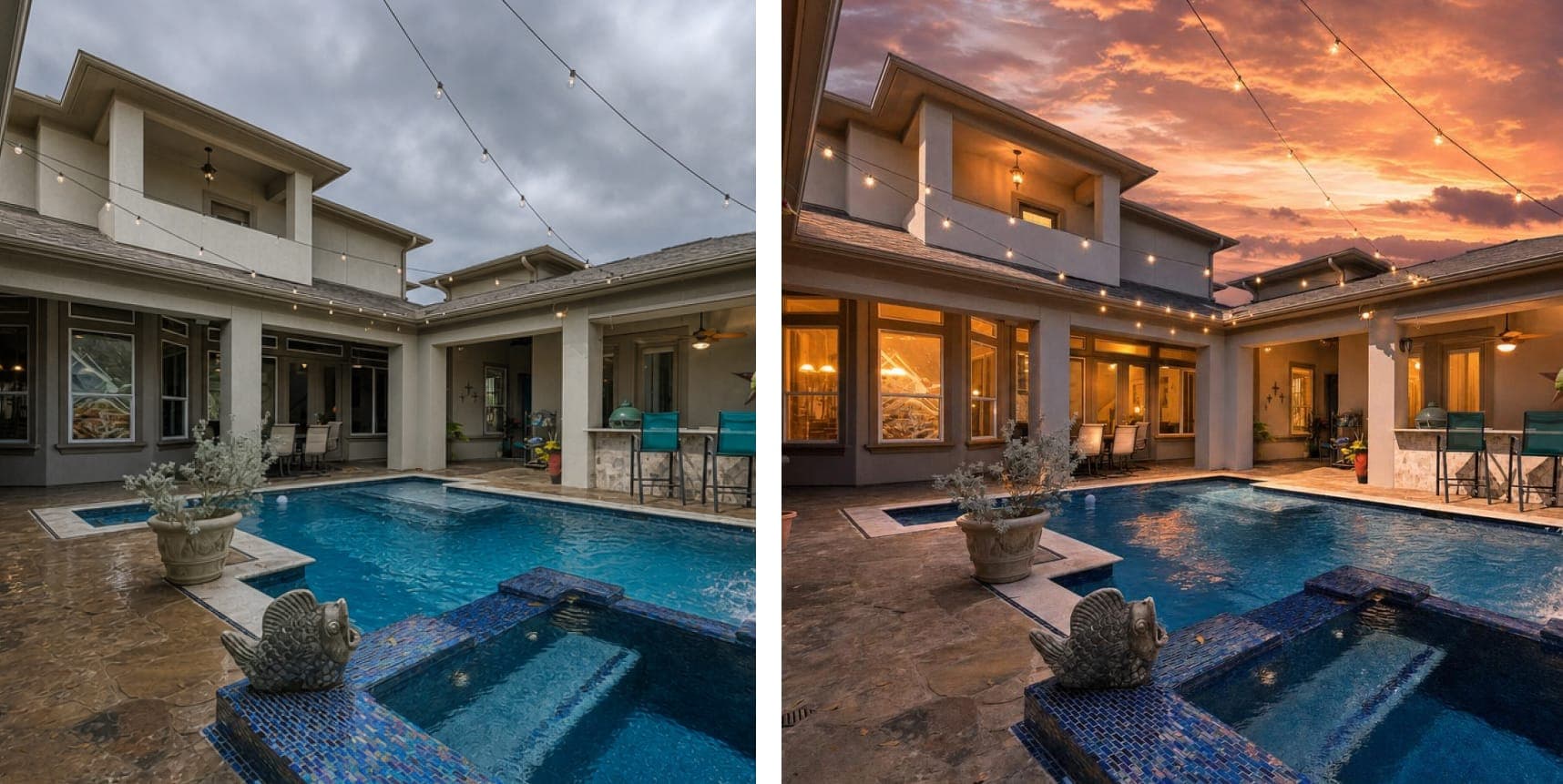
Same house, same day. Better weather.
Every pair below is one photo run through Sky Fix once. Nothing else was edited.
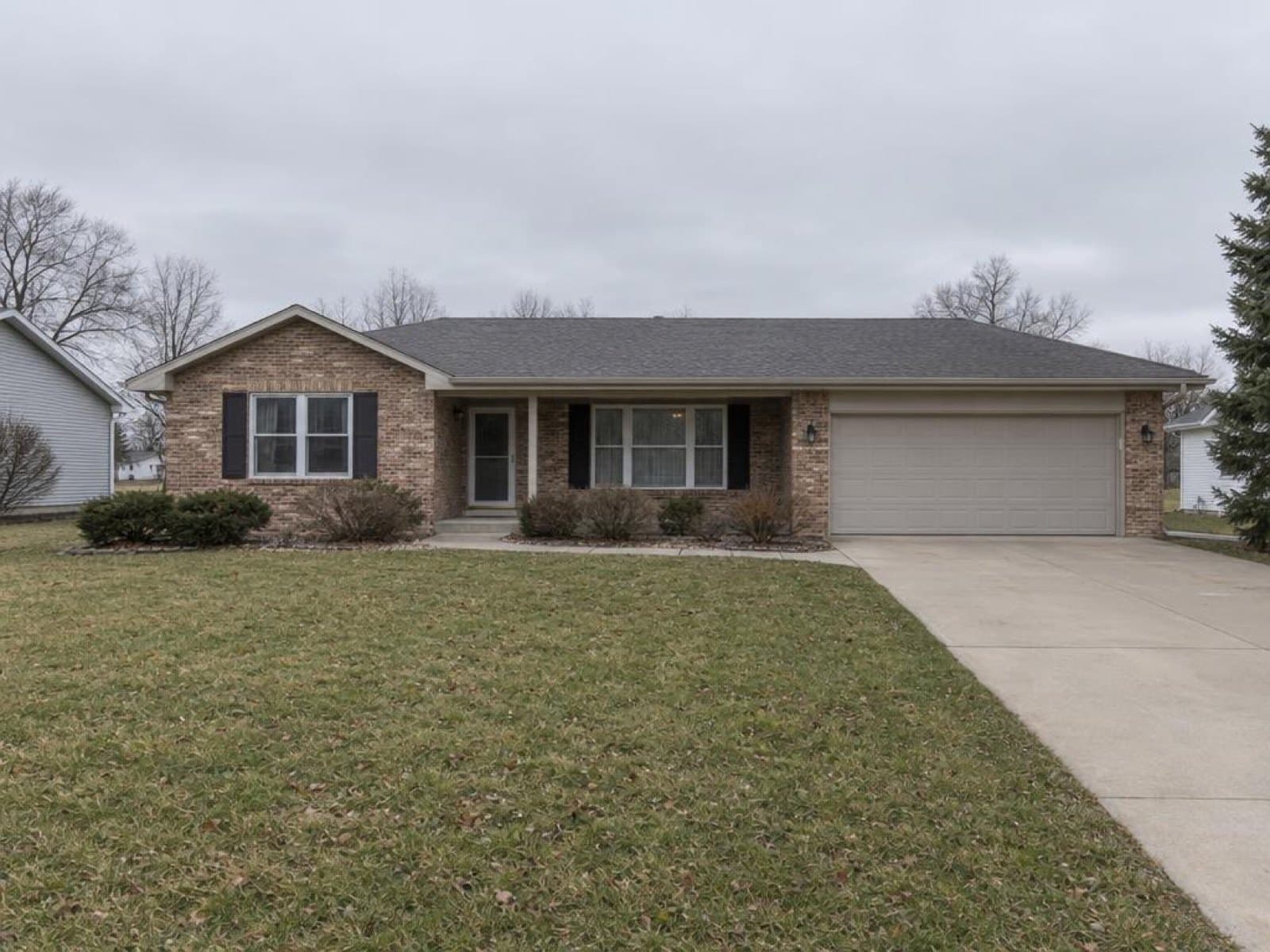
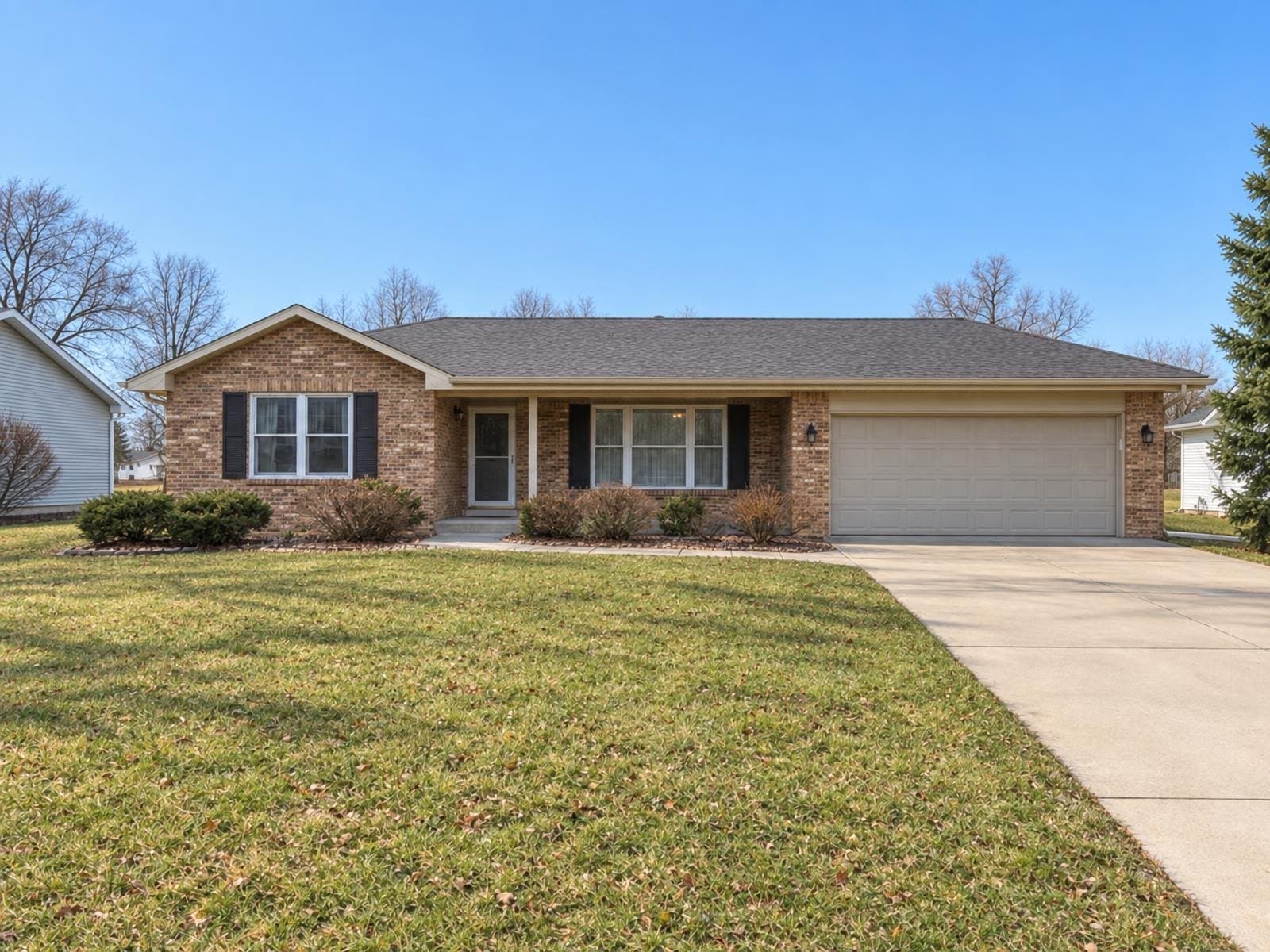
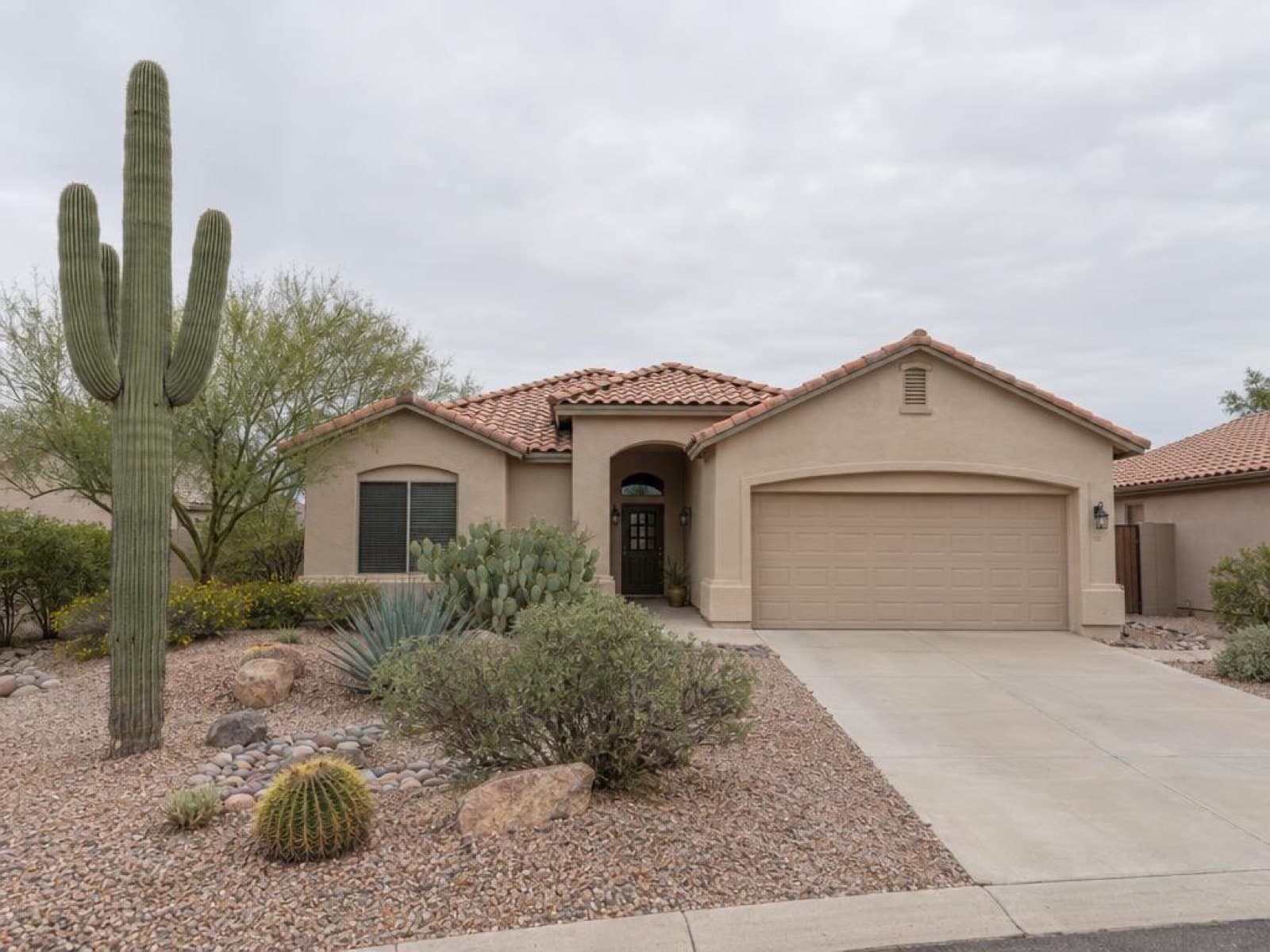
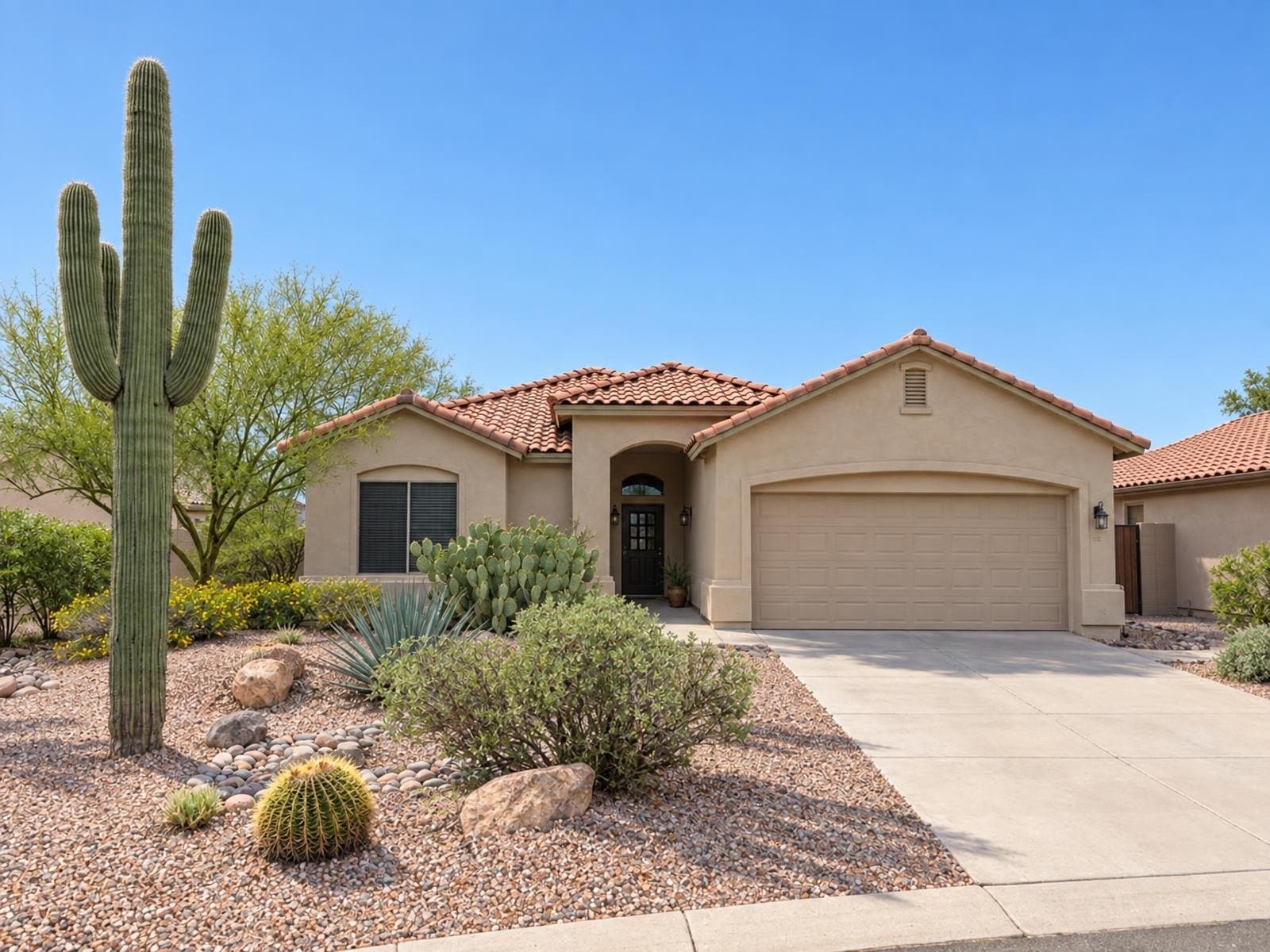
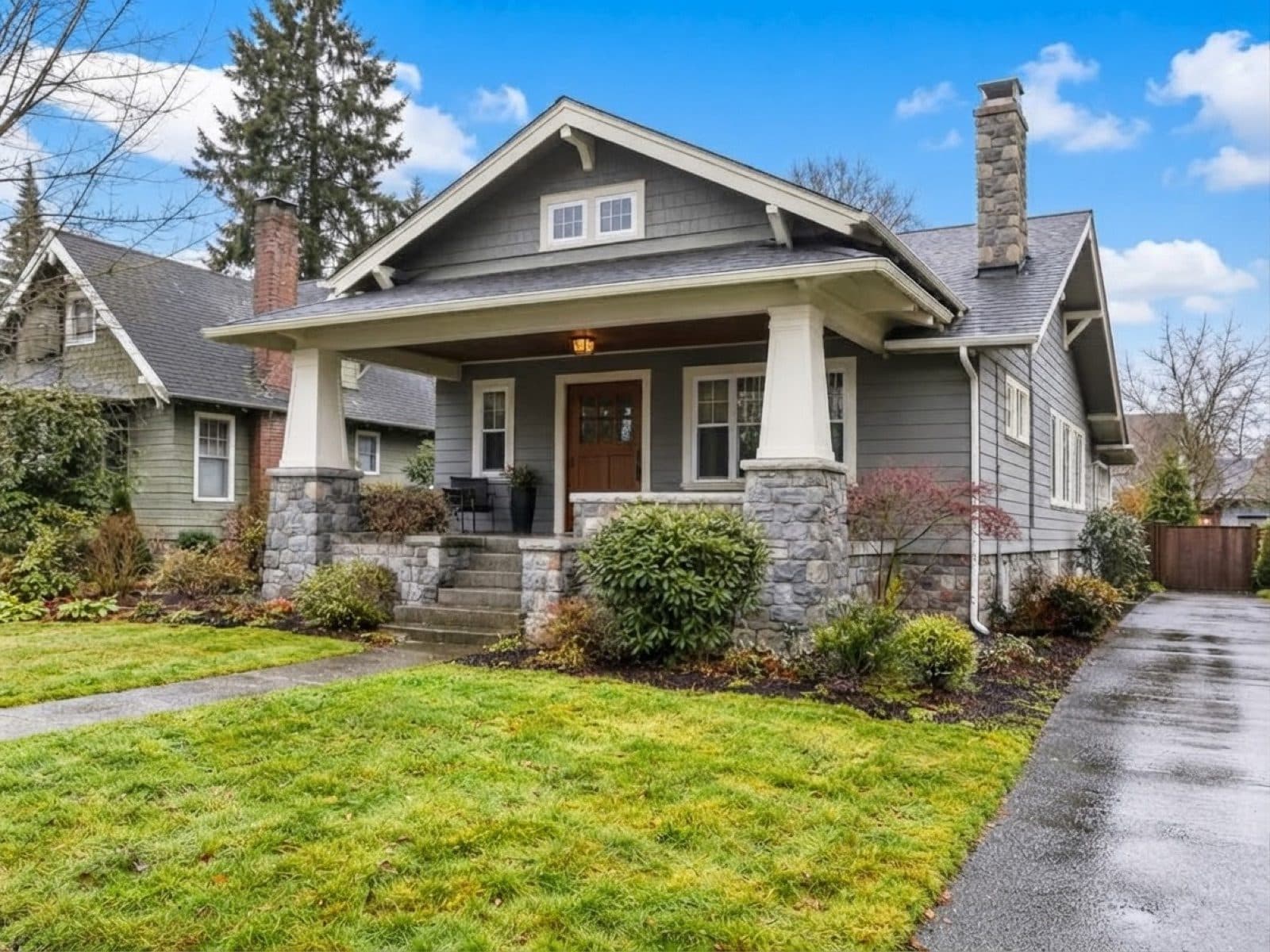
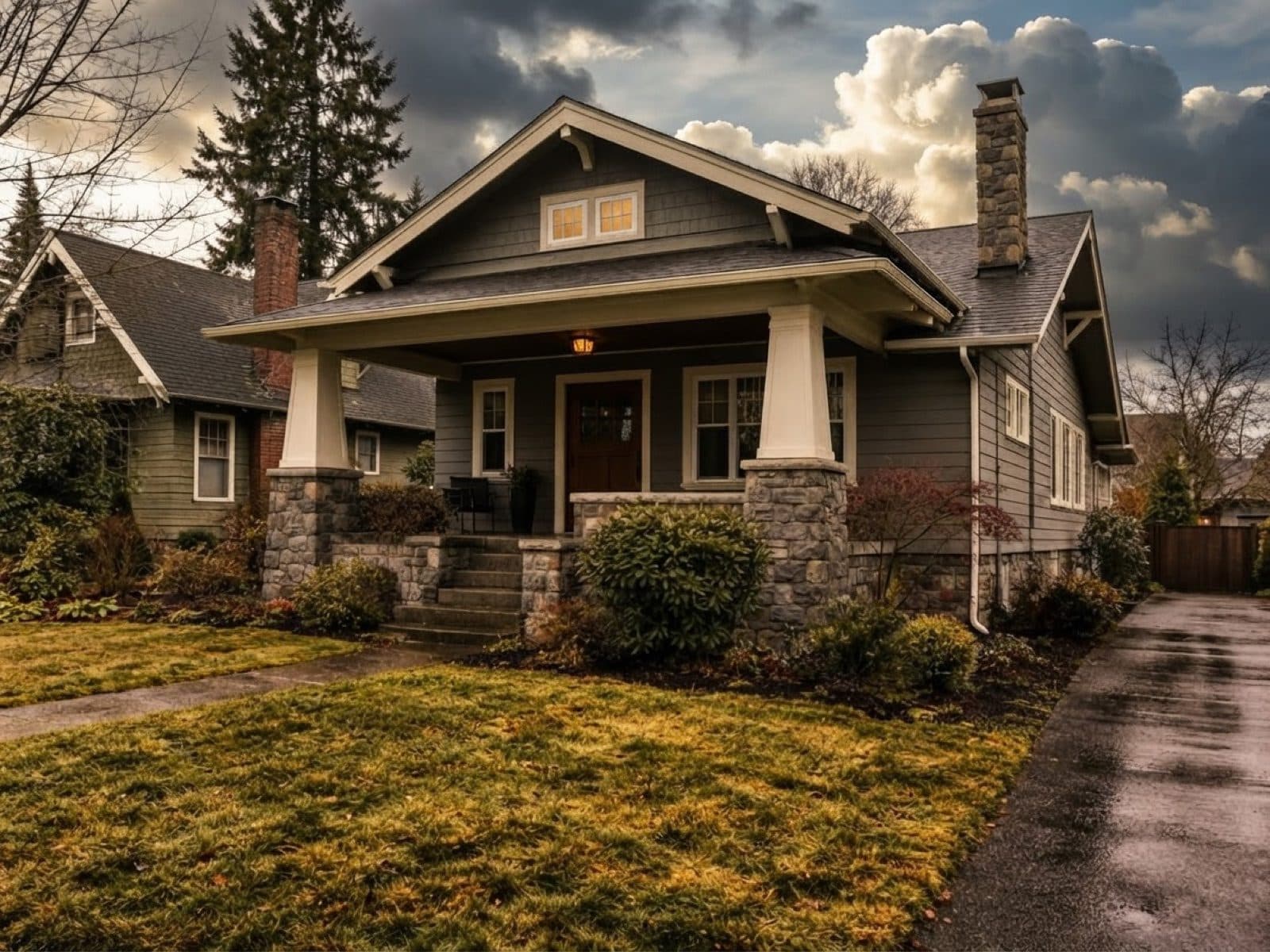
Four skies, one photo
The same building through each preset. Drag the slider to compare the original with sunny blue.
How it works
Three steps, about a minute
- 1
Upload the exterior
Any daytime photo where the sky is visible: camera, drone or phone.
- 2
Choose a sky
Sunny blue for the hero shot, partly cloudy or soft overcast for a natural look.
- 3
Download and list
Full-resolution result, ready for the portal. Run it again if you want a different mood.
The sky and the light change. The property doesn't.
That's the line between an enhancement and a misleading photo, and Sky Fix stays on the right side of it.
Changes
- The sky: cloud cover, colour and brightness
- Sunlight and shadows on lawns, paths and walls
- Reflections in windows and wet surfaces
- Overall exposure, so the photo looks like a clear day
Stays exactly as shot
- The building: walls, roof, windows, doors
- Garden, trees, fences and parked cars
- Colours of materials and paint
- Time of day: it stays daytime (use Day to Dusk for twilight)
Who uses it
For the shoot you couldn't reschedule
Agents
Listing goes live this week and the only shoot day was grey. Fix the exteriors instead of waiting for sun.
Photographers
Deliver clear-sky exteriors without masking skies by hand in Photoshop for every photo.
Selling privately
Took the photos on your phone on a cloudy weekend? Make the front of the house look its best.
Price per photo
Cheaper than waiting for the weather
Pay as you go. Credits never tie you to a subscription.
Sky Fix on Stagey
$1.04–$1.20
1 credit per photo · credits from $1.04 to $1.20 each · about a minute
See all prices →Reshoot on a sunny day
A second shoot
Rebook the photographer and wait for the forecast
Edit it yourself
Your time
Mask the sky, then relight the scene by hand in a photo editor, photo by photo
Questions people ask
Is sky replacement allowed in listing photos?
Yes, in every major market we know of, as long as the property itself isn't changed. A new sky is treated like any other photo enhancement. Many agents add a short note such as "sky enhanced" to the listing. Our disclosure guide covers the rules by country and MLS.
Will the new sky look fake?
Sky Fix relights the whole scene, not just the sky: shadows on the lawn, light on the walls and reflections in the windows move with the new light, so the photo reads as a sunny day rather than a pasted-in sky. If a result isn't right, run it again with a different preset.
Does it change the building, the garden or the street?
No. Architecture, materials, colours, windows, trees and cars stay as they were. Only the sky and the ambient light change. It stays daytime: no twilight look and no lights switched on. For a dusk shot, use Day to Dusk instead.
Which skies can I choose?
Four presets: Sunny blue, Partly cloudy, Dramatic clouds, Soft bright overcast. Soft bright overcast is for photos that should keep a natural cloudy mood but lose the dull flat grey.
Does it work on phone photos?
Yes. Any clear daytime exterior works, including photos taken on a phone. Best results come from straight, well-exposed shots where the sky is visible and not blown out to pure white.
How much does Sky Fix cost?
1 credit per photo. Credits cost roughly $1 each depending on the pack, and new accounts get 4 free credits with no credit card.
More for your exterior photos
Fix your first sky free
Upload one grey-sky exterior and see it on a clear day in about a minute.
4 free credits · no credit card