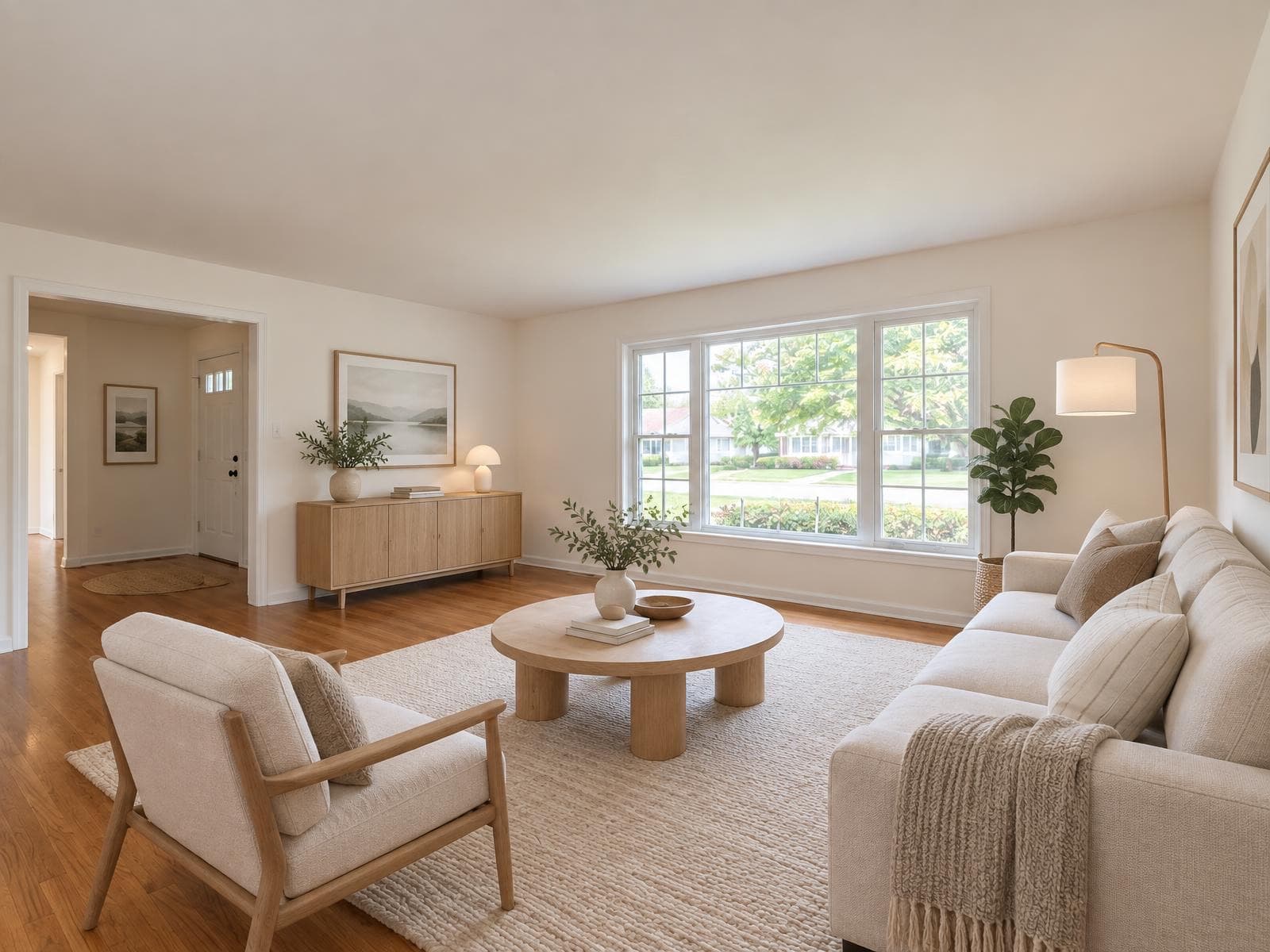
AI virtual staging that doesn't look fake
Upload an empty room, pick a style and get it staged in about a minute. Unlike most AI stagers, Stagey never moves your walls, stairs or windows, and there's no subscription to sign up for.
- Dozens of design styles, from Scandi Calm to Coastal
- Up to 4 variants per render, 2 credits total
- First photo free, no credit card
No credit card · works on phone photos
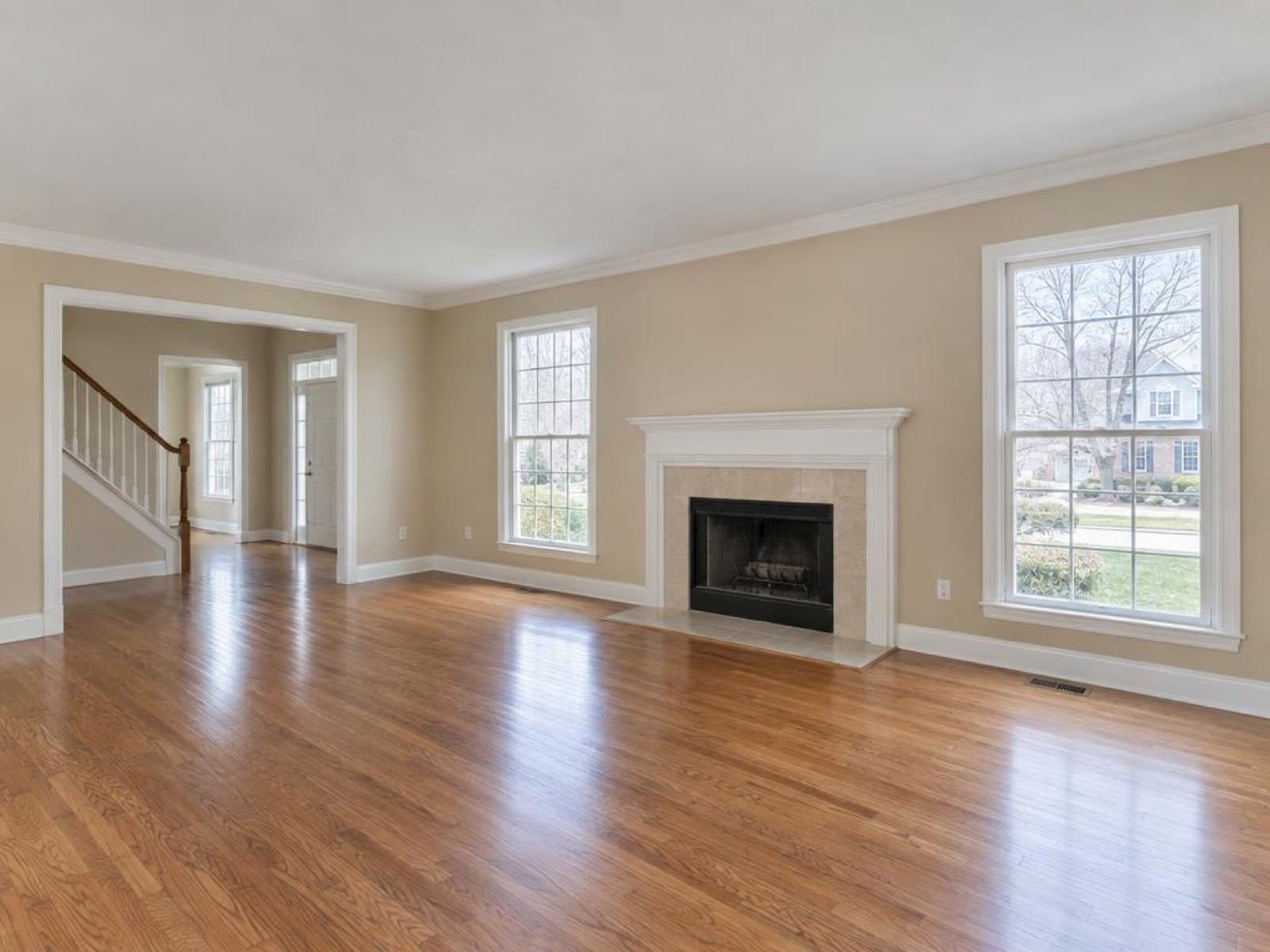
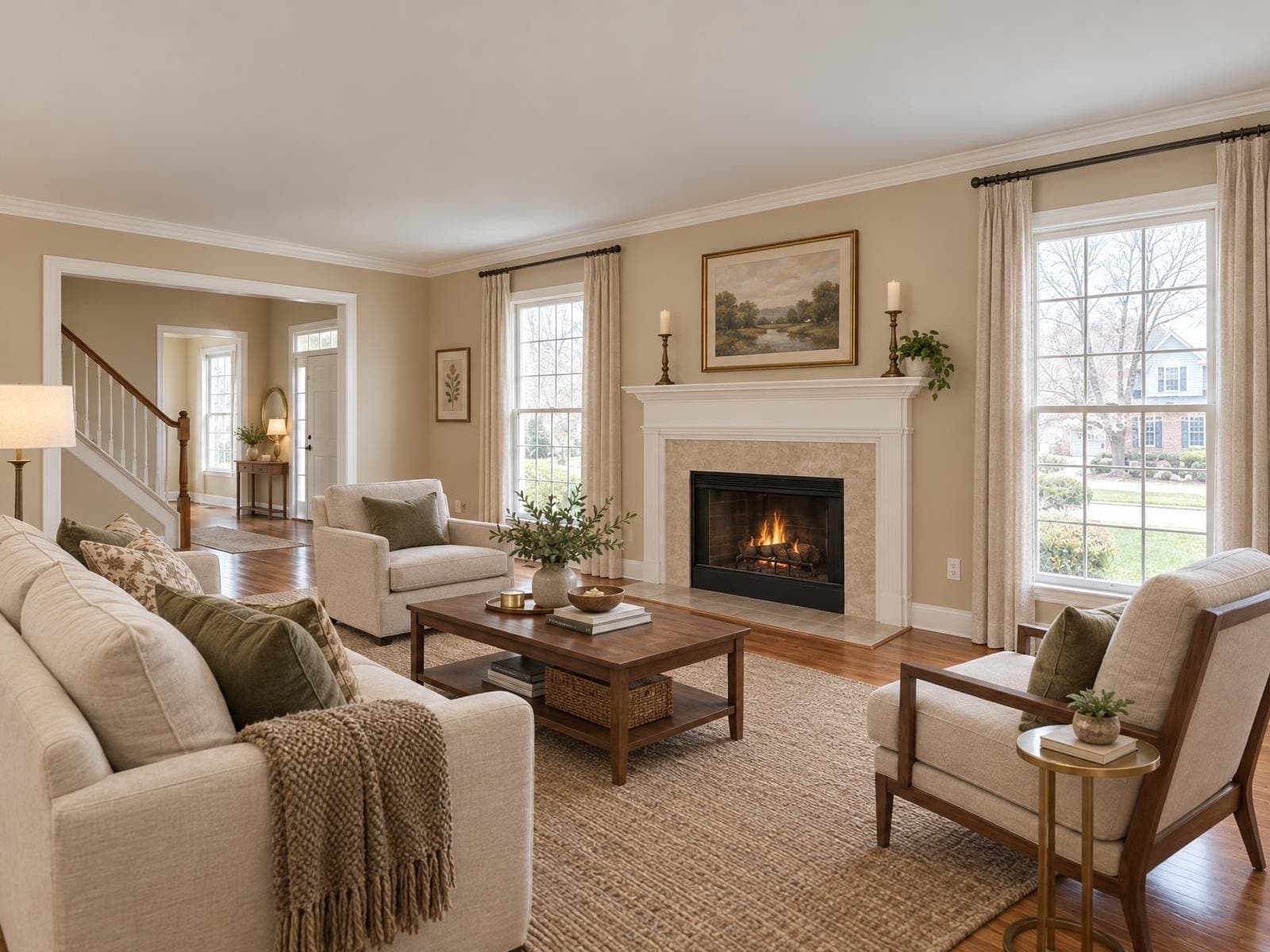
Real staging results
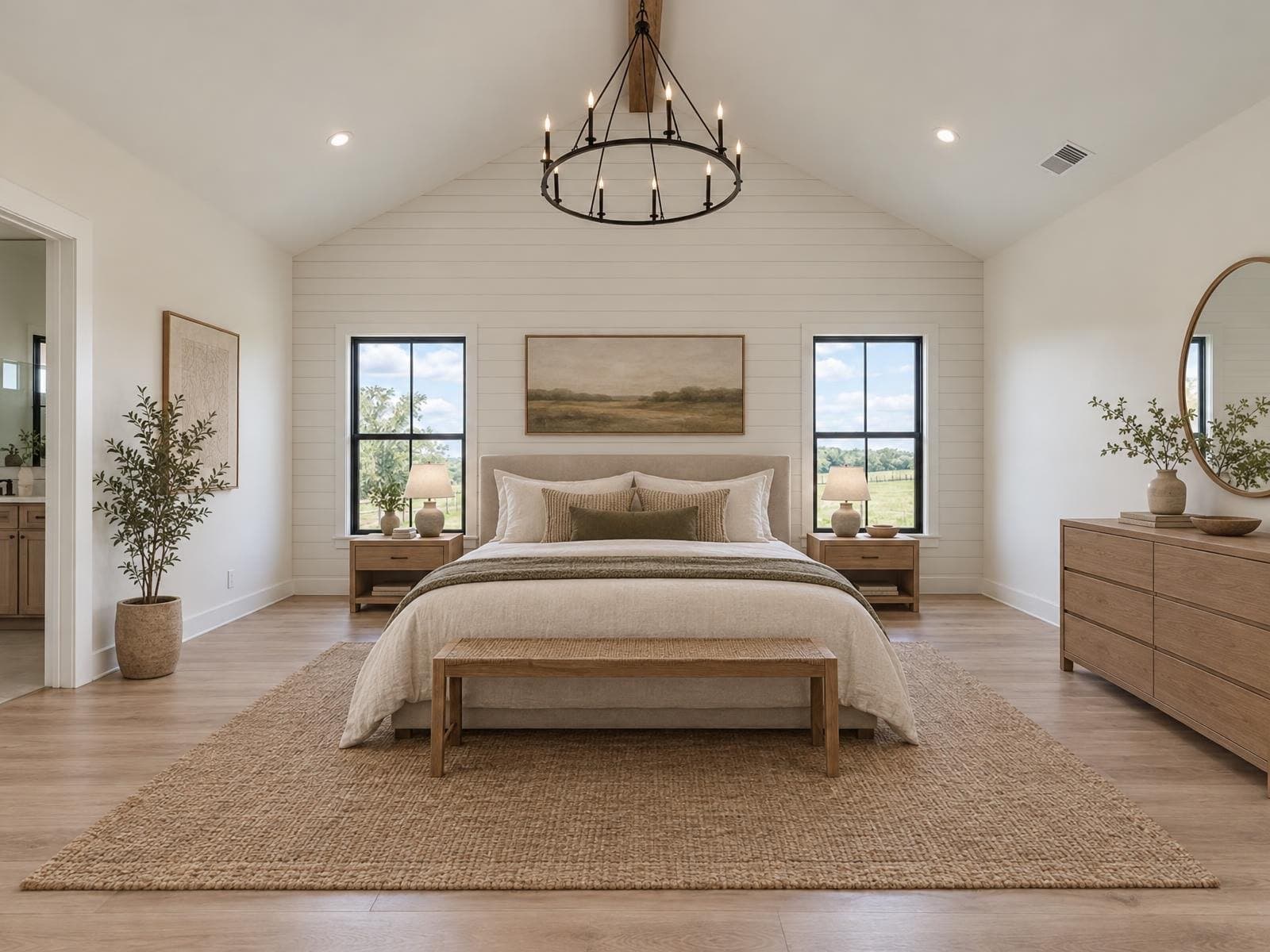
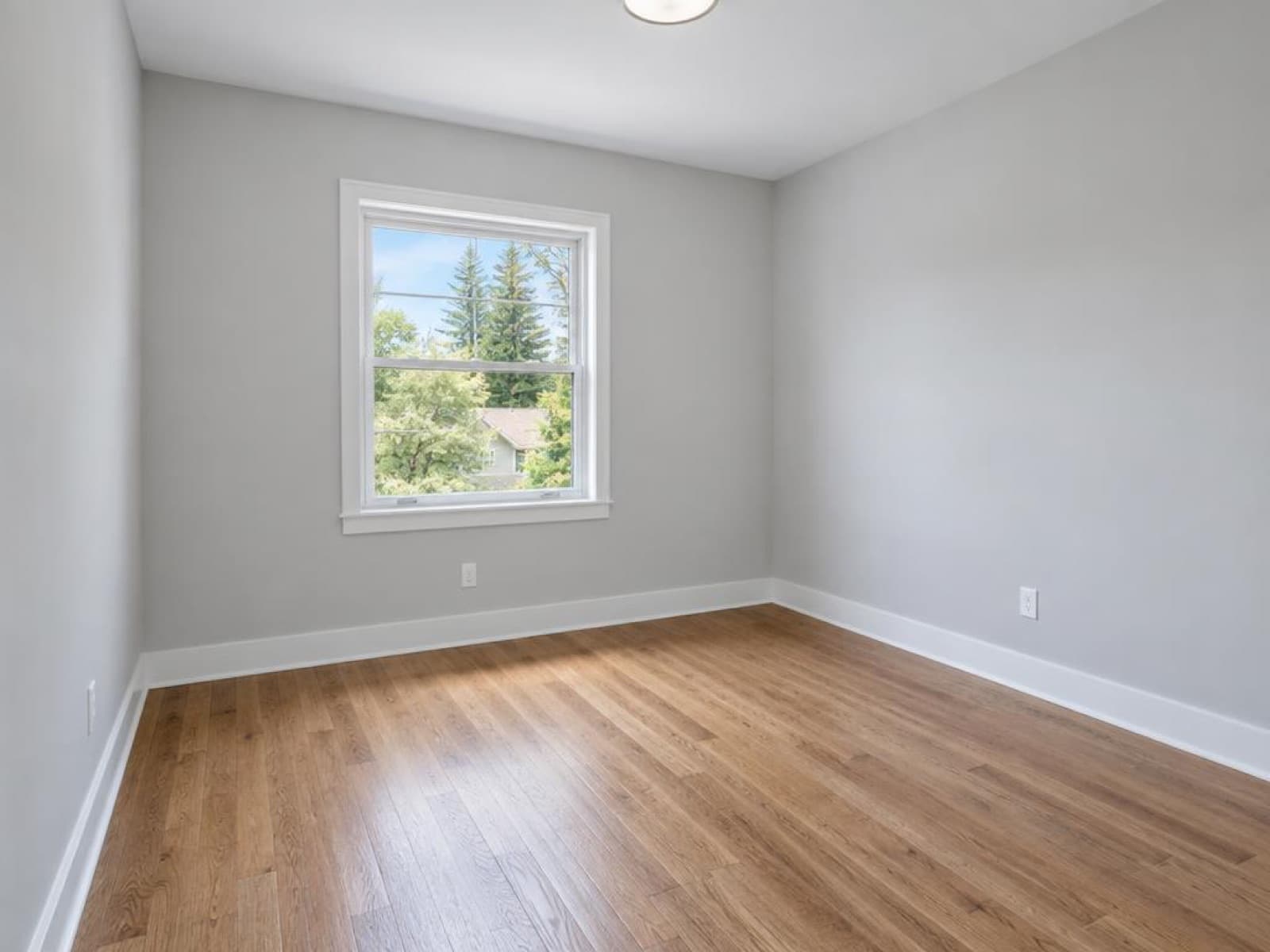
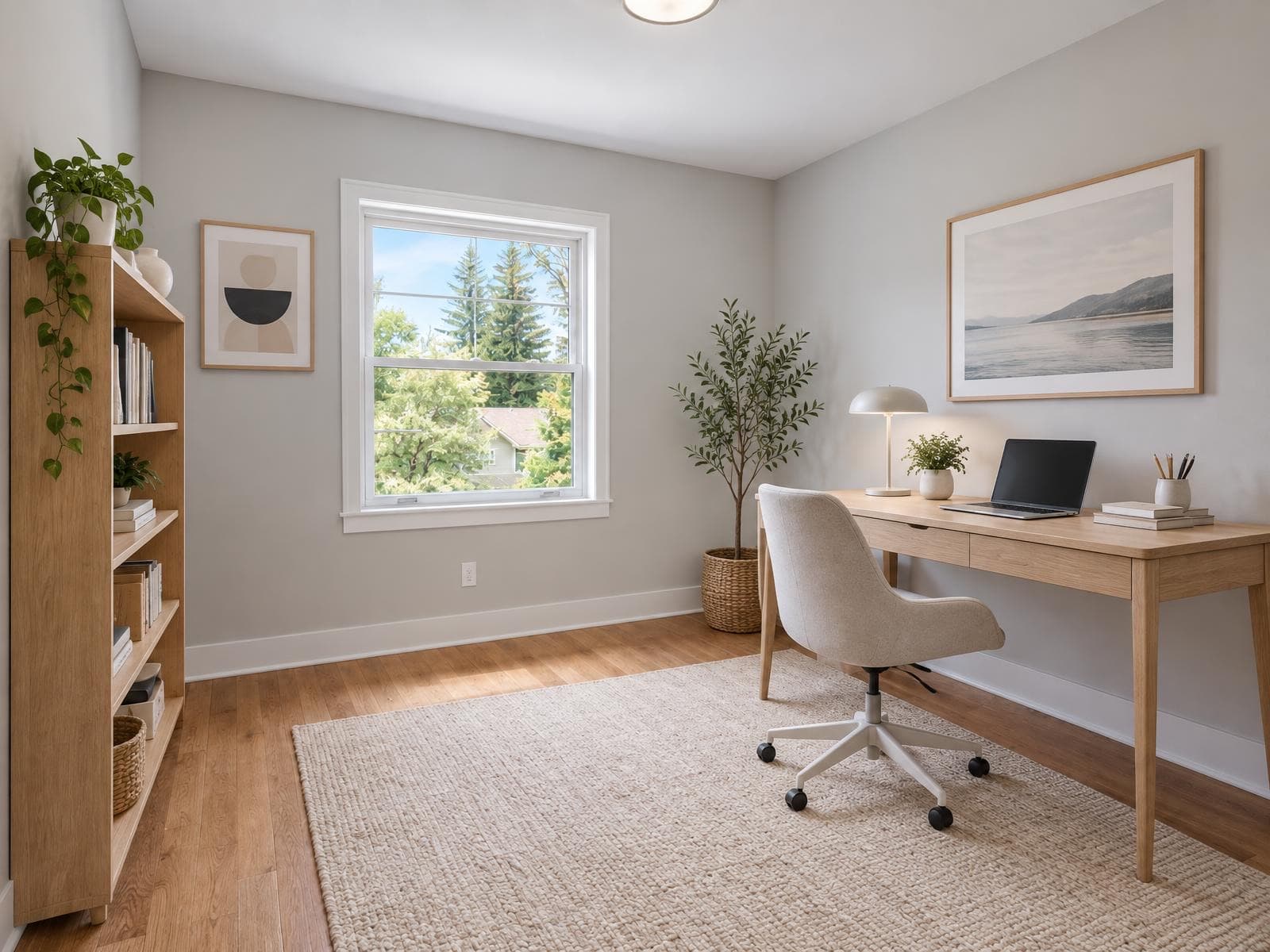
Same room, same light. Furnished by AI.
Every pair below is one empty-room photo run through virtual staging once. The walls, floor and window stay as shot.
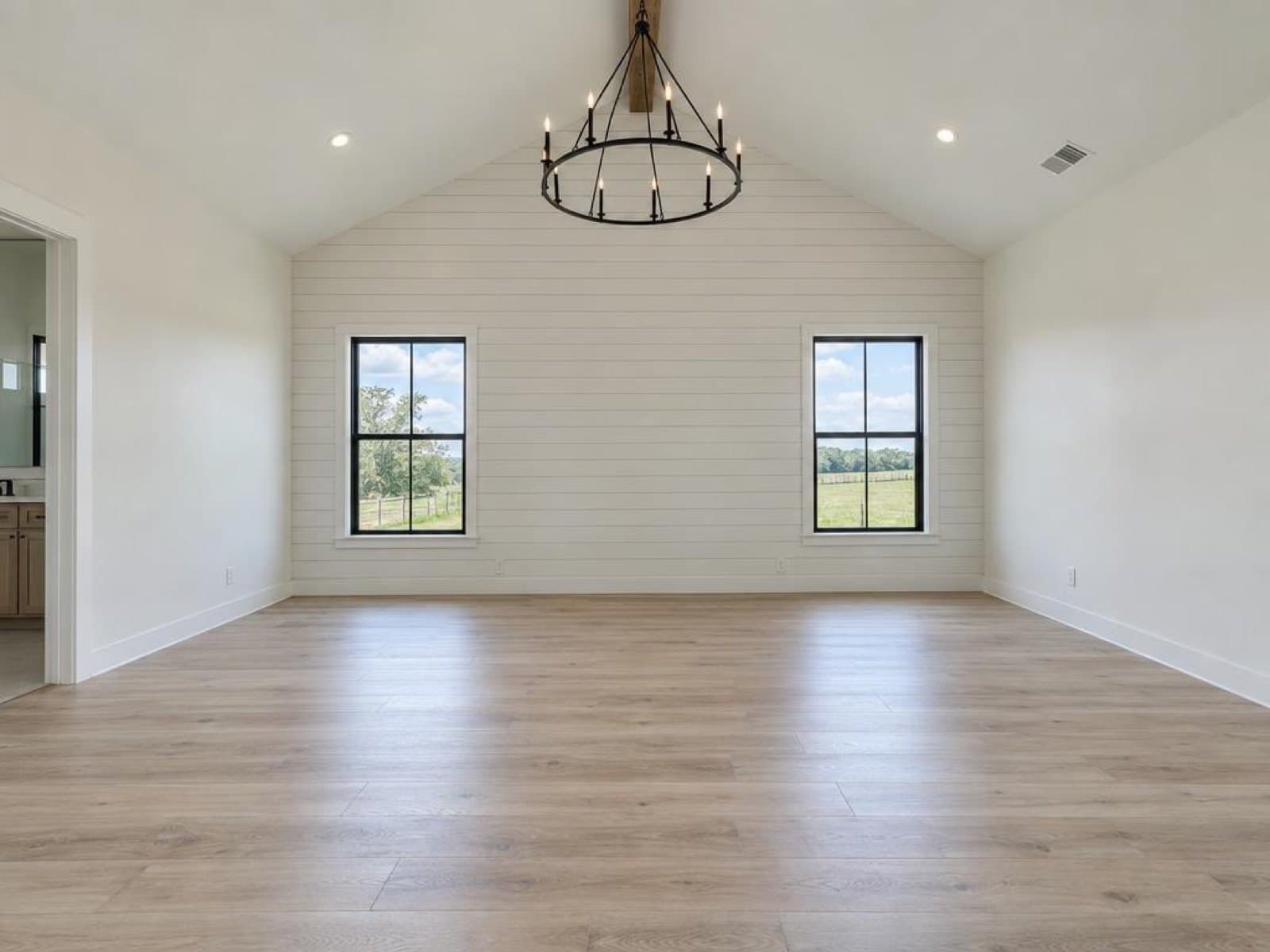
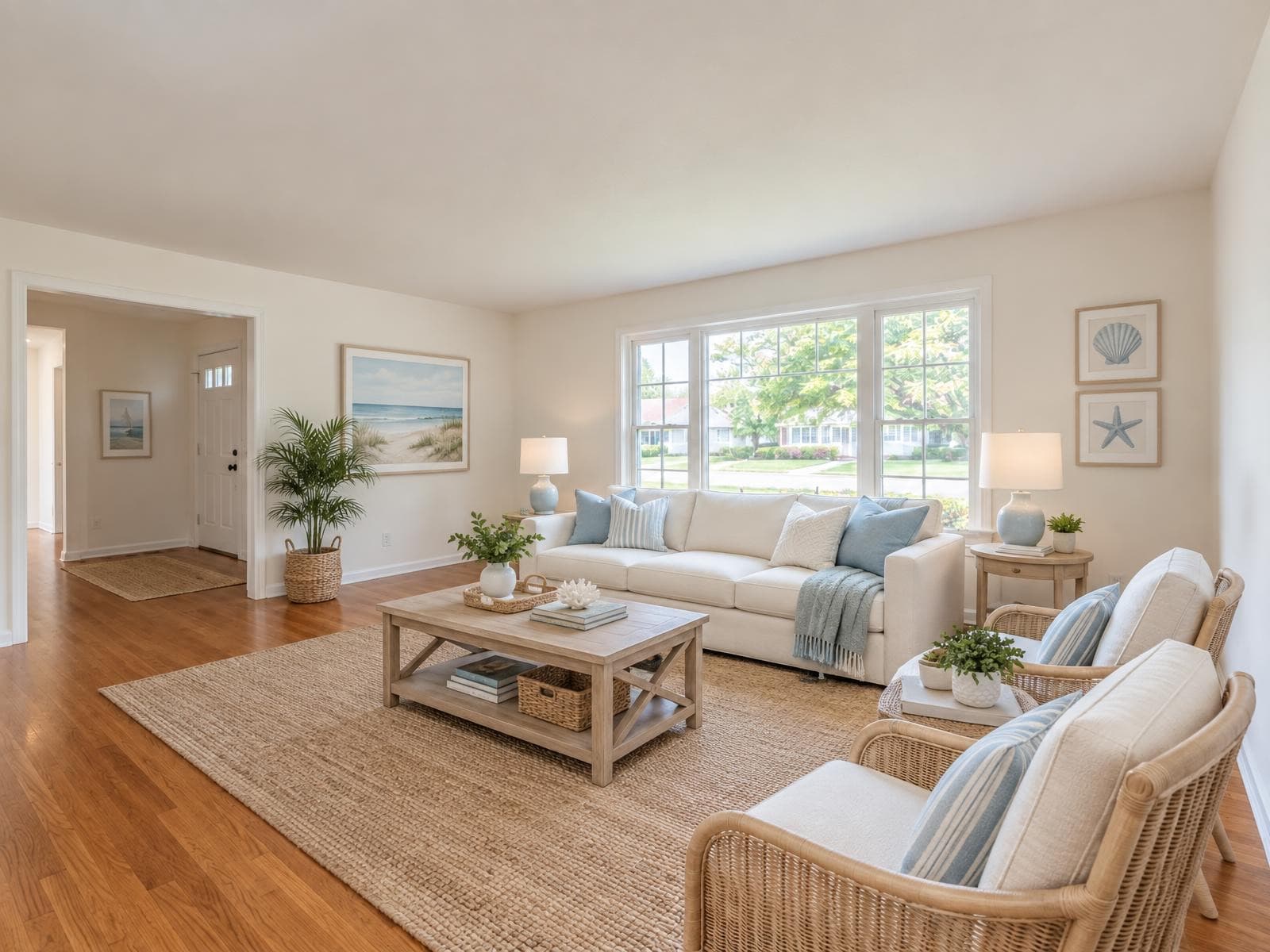
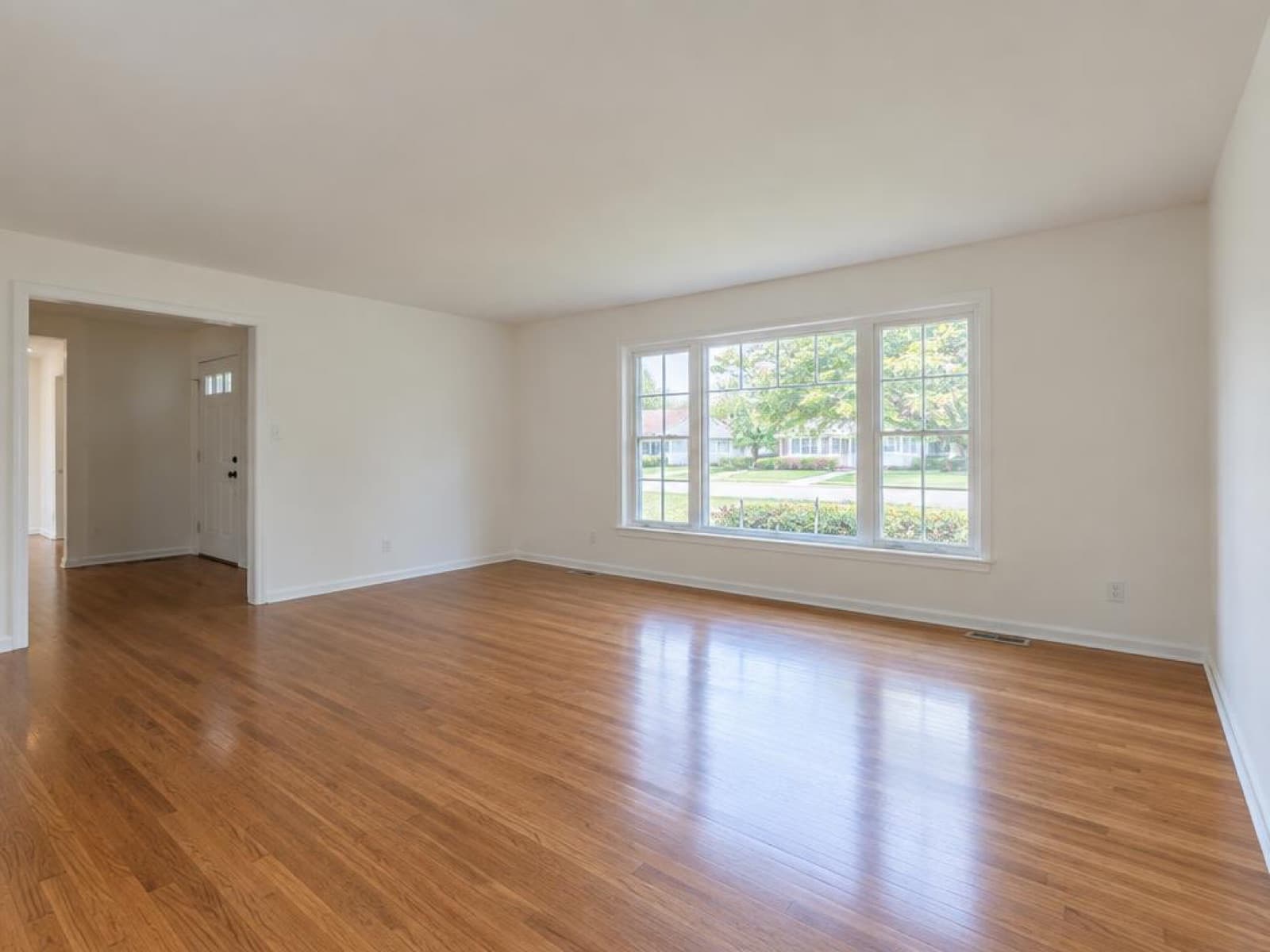
The room buyers judge first
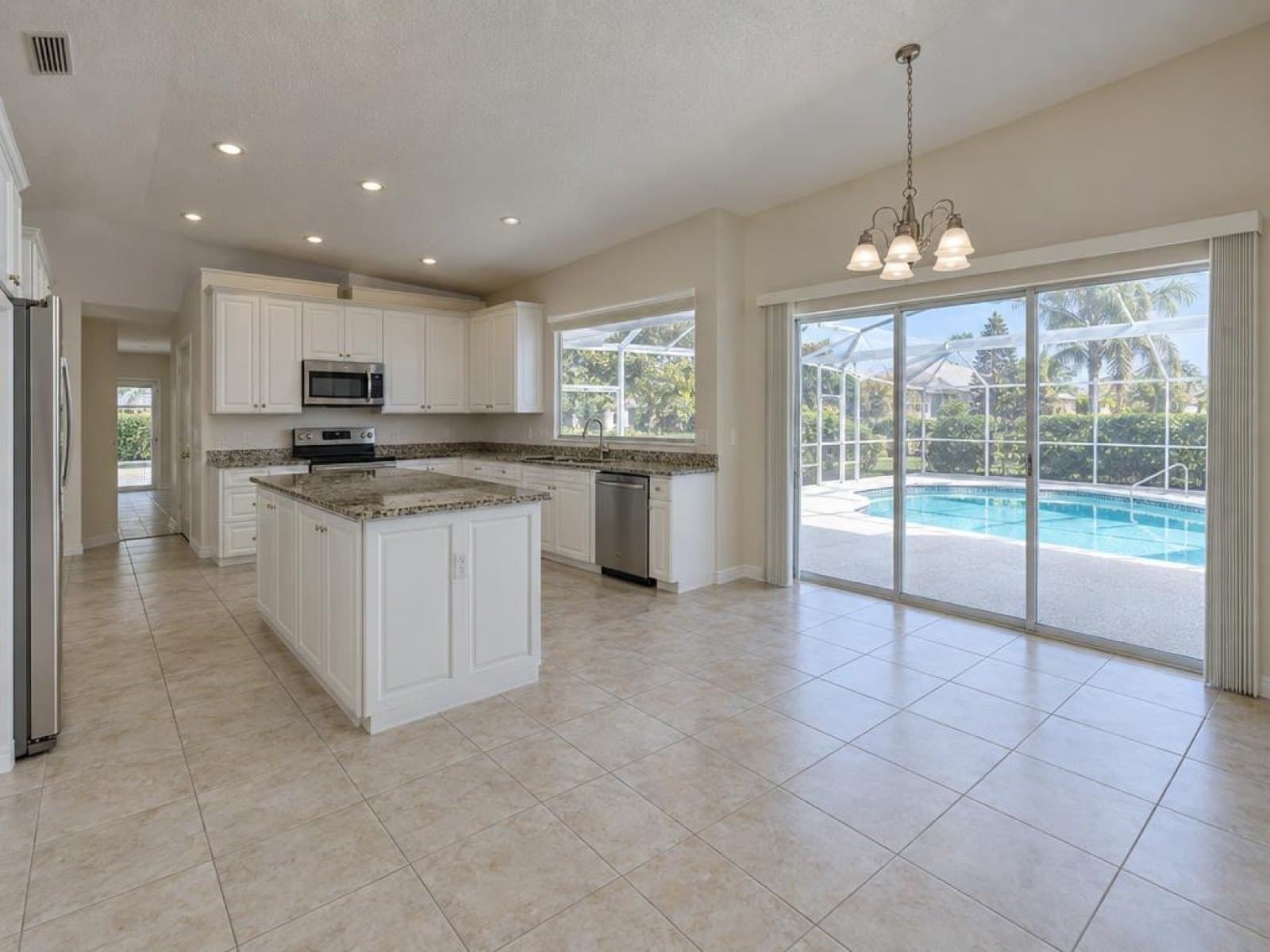
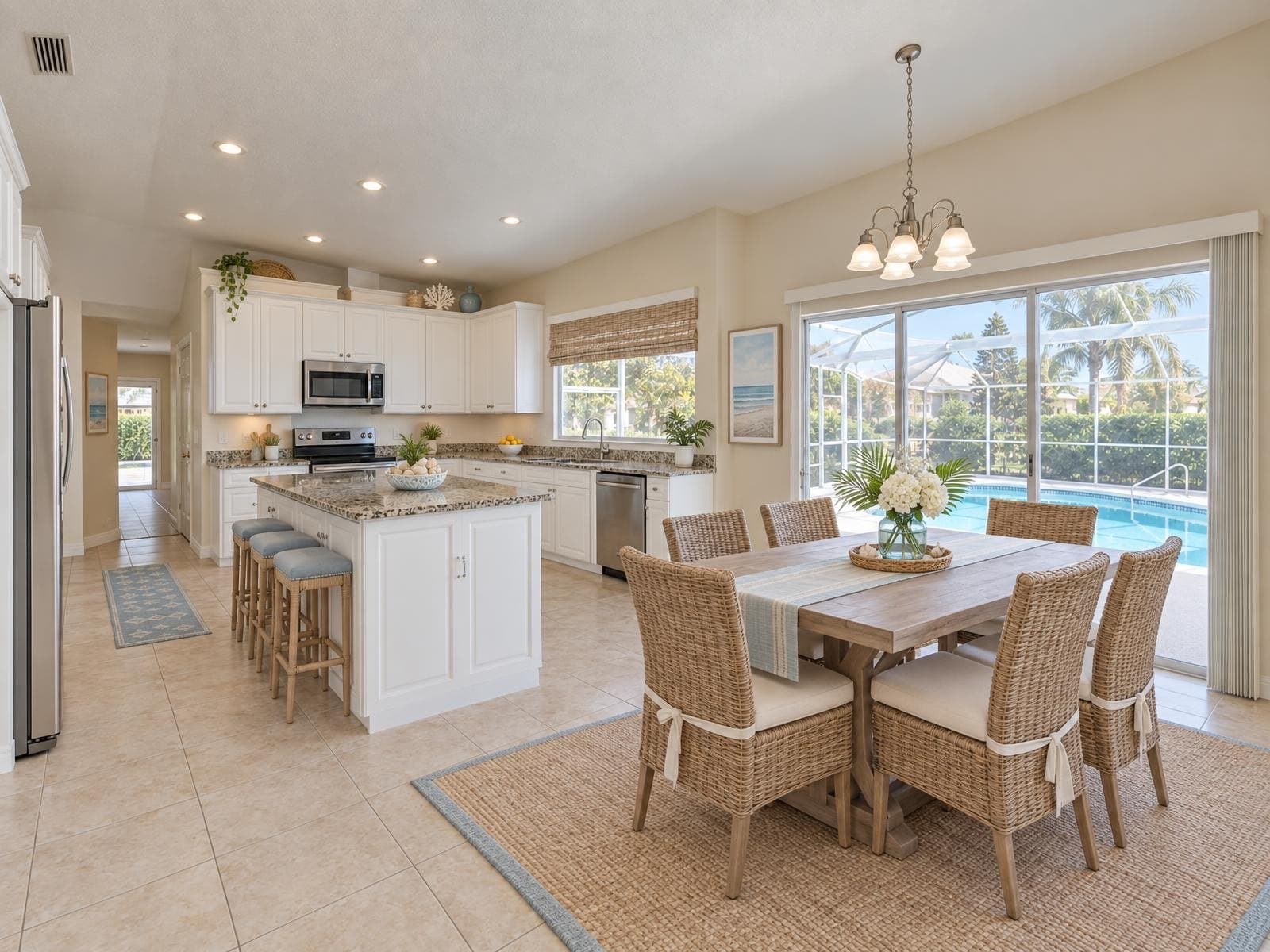
The living room is usually the first photo in a listing and the one most worth staging. Drag the slider to compare the empty room with the Coastal style.
Same effect on the listing, a different cost and timeline
Physical staging moves real furniture into the house. Virtual staging edits the photo. Both make an empty room easier to picture furnished.
| Feature | Virtual staging (Stagey) | Physical staging |
|---|---|---|
| Cost | 2 credits per photo (about $1 each) | $2,000–5,000 per property (typical metro) |
| Turnaround | about a minute | Days to book, then stays for the listing |
| Room stays empty for showings | ||
| Try a different style at no extra cost | ||
| Photo only, or in-person too | Photo only | Both |
Physical staging: $2,000–5,000 per property (typical metro). Stagey pricing from lib/billing/pricing.ts.
How it works
Three steps, about a minute
- 1
Upload the empty room
A clear photo of an empty or already-cleared room, camera or phone.
- 2
Pick a room type and style
Living room, bedroom, kitchen or office, then a design style to match the listing.
- 3
Download and list
Get up to 4 variants for the same render, then download the one that fits.
Who uses it
For every empty room on the market
Realtors
Virtual staging for realtors: turn an empty listing into a furnished one before the first showing, without renting furniture.
Photographers
Deliver a staged option alongside the empty-room shot without carrying furniture to every shoot.
Selling privately
Moved out already? Stage the empty rooms yourself before the photos go on the listing site.
Developers
Show a finished, furnished unit in a new build before anyone has moved in.
Price per photo
A fraction of the cost of physical staging
Pay as you go. Credits never tie you to a subscription.
Virtual staging on Stagey
$2.08–$2.40
2 credits per photo · credits from $1.04 to $1.20 each · about a minute
See all prices →Human virtual staging
$75–150 per photo
Commonly quoted, 24–48 hour turnaround
Physical staging
$2,000–5,000 per property
(typical metro)
Disclose virtually staged photos in the listing, the same way you would any other photo enhancement. Our disclosure guide covers the wording MLS boards and portals expect.
Questions people ask
Is virtual staging allowed on Zillow, Redfin and MLS?
Yes, as long as it is disclosed. Add a short note such as "virtually staged" to the photo caption or listing description. The National Association of Realtors' Code of Ethics (Article 2) requires disclosing materially altered photos, and NAR's own legal-affairs guidance is that a listing agent shouldn't put altered photos on the MLS without disclosure. Our disclosure guide covers the wording in more detail.
Does the room need to be empty first?
Yes, this tool stages an empty or already-cleared room. If the room still has old furniture in it, use Remove Furniture first: it empties the room and can stage it in the same run.
How many styles can I choose from?
Dozens of design styles, from Scandi Calm and Japandi to Coastal and Mid-century. Pick one, generate, and switch styles as many times as you like within the same room.
Will the staged photo look realistic?
Furniture is rendered at true room scale, matched to the room's own light and perspective, so shadows and reflections land correctly. If a result isn't right, try a different style and regenerate. Most renders finish in about a minute.
How many photos do I get per render?
Up to 4 variants for the same 2 credits, so you can compare styles or angles and keep the one that works best for the listing.
How much does virtual staging cost?
2 credits per photo. Credits cost roughly $1 each depending on the pack, and new accounts get 4 free credits with no credit card, enough for your first room.
More on virtual staging
Guide
Best virtual staging software
How Stagey compares to other virtual staging software on price, speed and style range.
Read →Tool
Remove furniture
Room still has old furniture in it? Empty it and restyle it in the same run.
Read →Guide
Virtual staging disclosure rules
What to write in the listing so a virtually staged photo is never a surprise at the showing.
Read →Stage your first room free
Upload one empty-room photo and see it furnished in about a minute.
4 free credits · no credit card